

Instance Metadata
What is Instance Metadata?
Instance metadata is a comprehensive collection of structured information that specifies the properties required to create executable process instances. This includes:
- Field Specifications: Field names, data types, precision, and scale specifications
- Functional Roles: Role-based field categorization for processing logic
- Technical Configuration: Partitioning strategies, frequency settings, and performance optimizations
- Validation Rules: Data types, value ranges, and cardinalities
- Business Context: Tickets, documentation, and change tracking information
This metadata acts as the single source of truth for instance configuration and enables MetaKraftwerk to automatically generate data integration processes for a set of supported platforms.
For a practical walkthrough of the Instance Metadata, watch the video below.
Historical Data Management
The instance data is stored historically by MetaKraftwerk, allowing full version control similar to Git/SVN. Key features include:
- Commit-based Versioning: Each build commits the data automatically
- Change Comparison: Commits can be compared to analyze modifications
- Visual Change Tracking: Lines added, changed, or deleted are highlighted
- Instance Restoration: Previously deleted instances can be restored from historical data
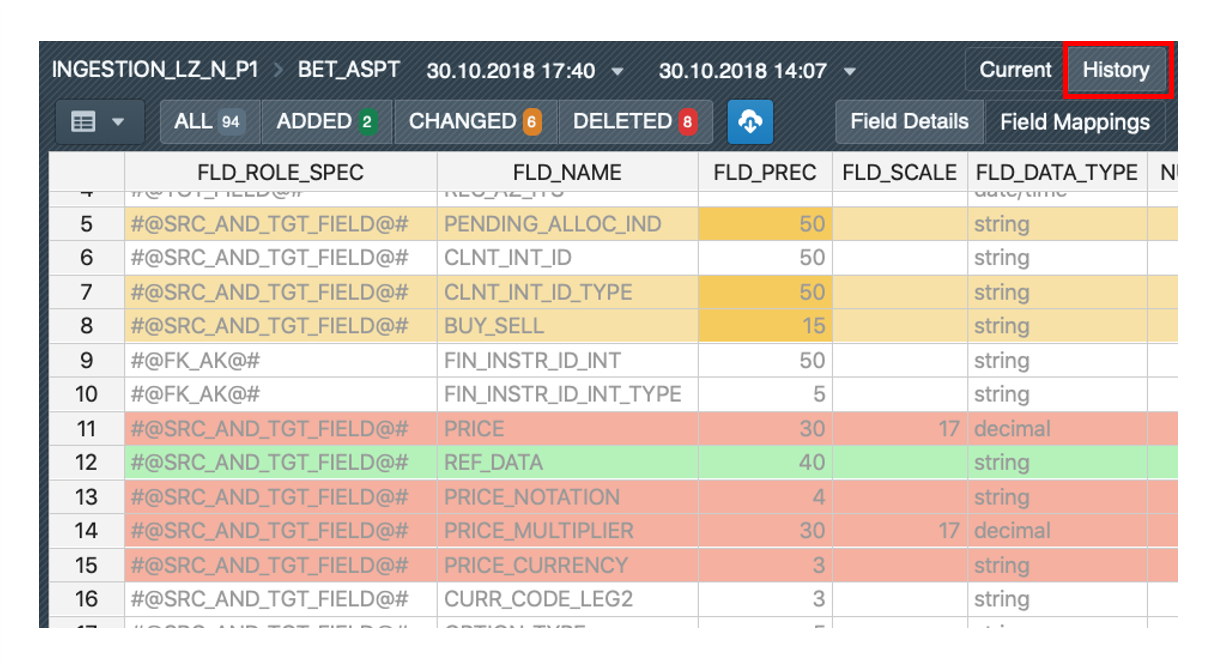
Instance Metadata Management
Excel-like Table Editor
MetaKraftwerk provides an Excel-like table for administering instance data with the following features:
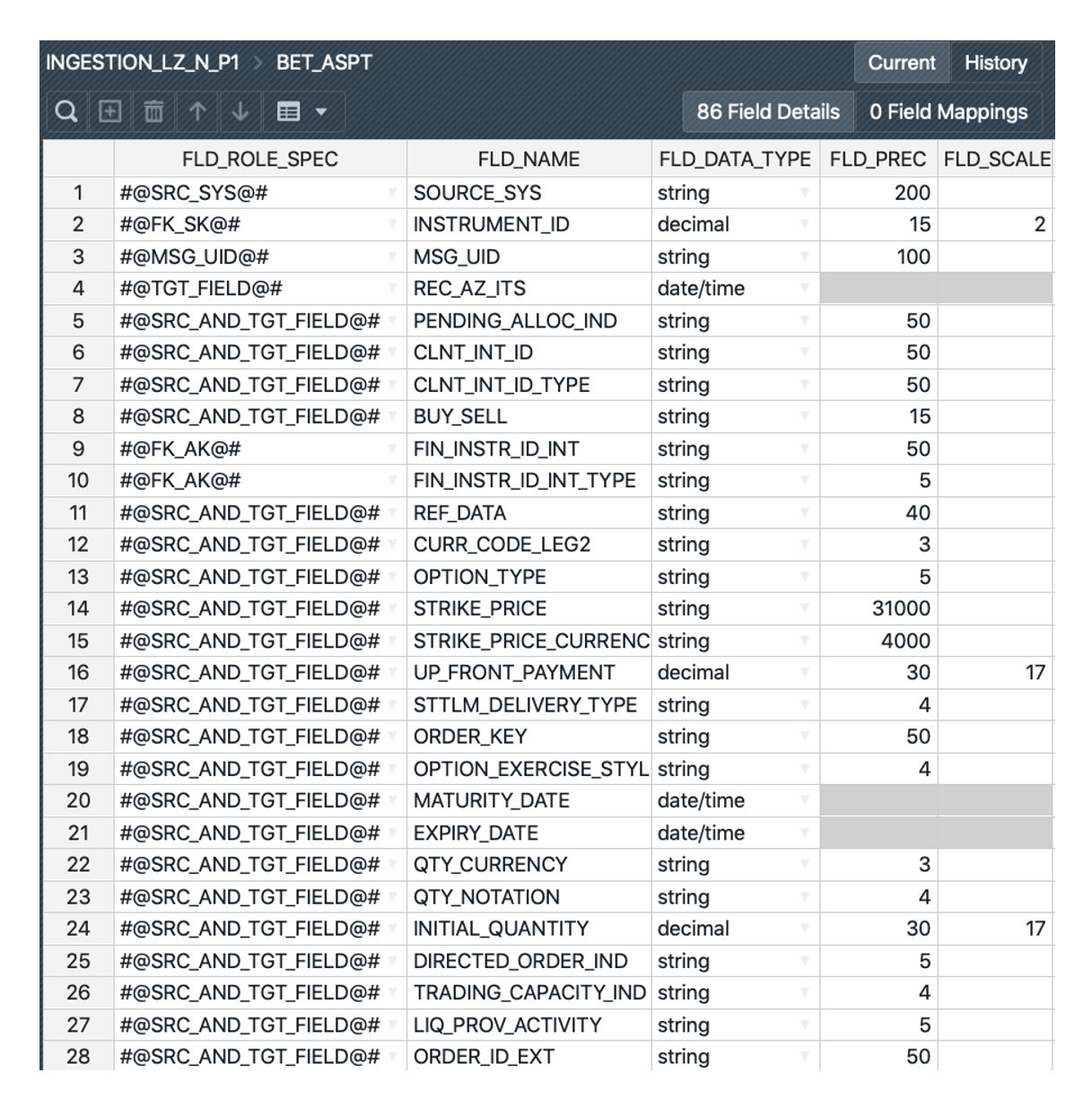
Data Entry Interface
- Shows field details including field roles, field names, and data types
- Displays data for a single instance at a time
- Instance switching via sidebar list
- Direct cell editing using Enter or F2
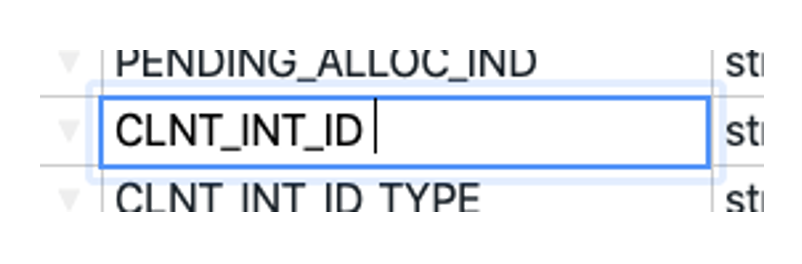
- Copy & paste functionality for efficient data transfer
Toolbar Functions
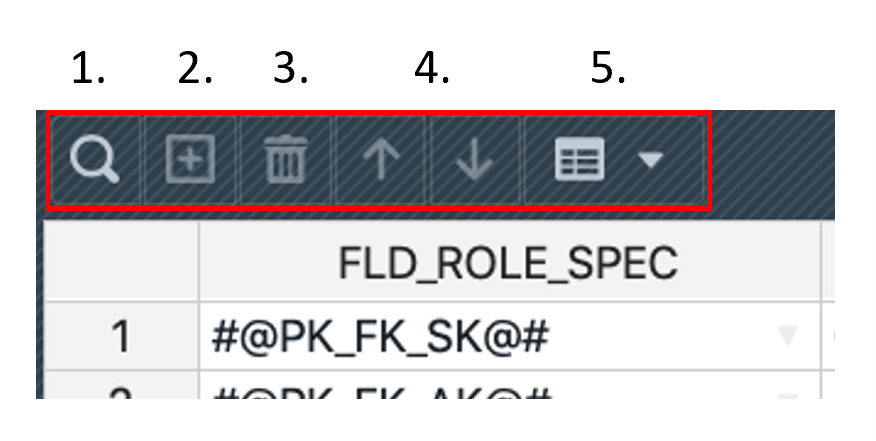
- Search: Find specific fields or values within the instance
- Add Rows: Insert new field definitions
- Delete Rows: Remove field definitions
- Move Rows: Reorder fields using up/down controls
- Show/Hide Columns: Customize view based on user needs
Column Management
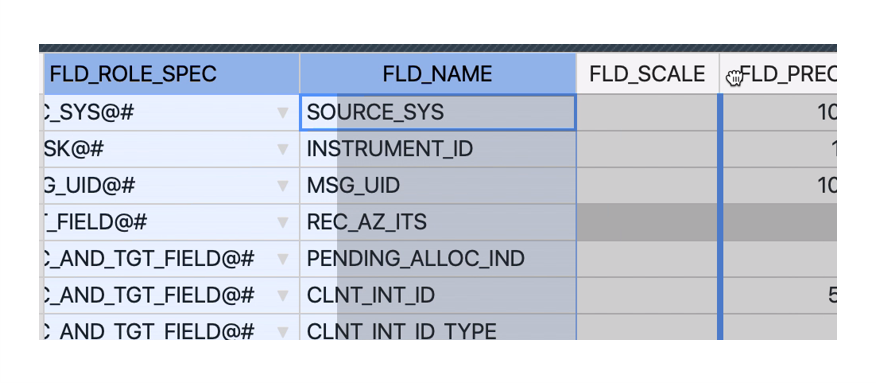
- Drag and drop columns to desired positions
- Customizable column widths
- Multiple column selection for bulk operations
- Excel-analogous functionality for familiar user experience
Real-time Validation
The system provides continuous validation of instance data:
Validation Checks
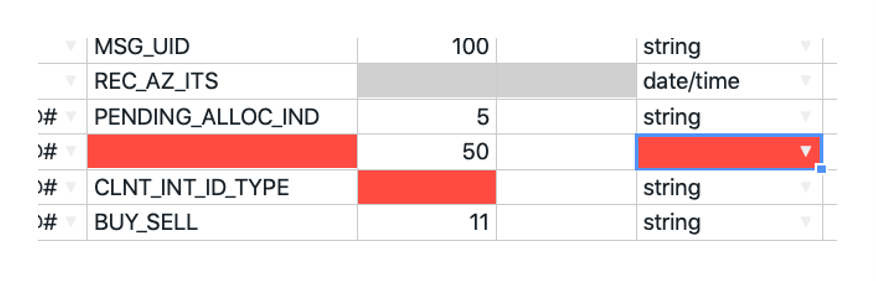
- Data type compatibility verification
- Value range validation
- Cardinality constraint checking
- Invalid values highlighted in red
Build Prerequisites
- Instances with validation errors cannot be built
- All errors must be resolved before build execution
- Real-time feedback prevents invalid configurations
Instance Filtering
Two primary filtering methods are available:
Search-based Filtering
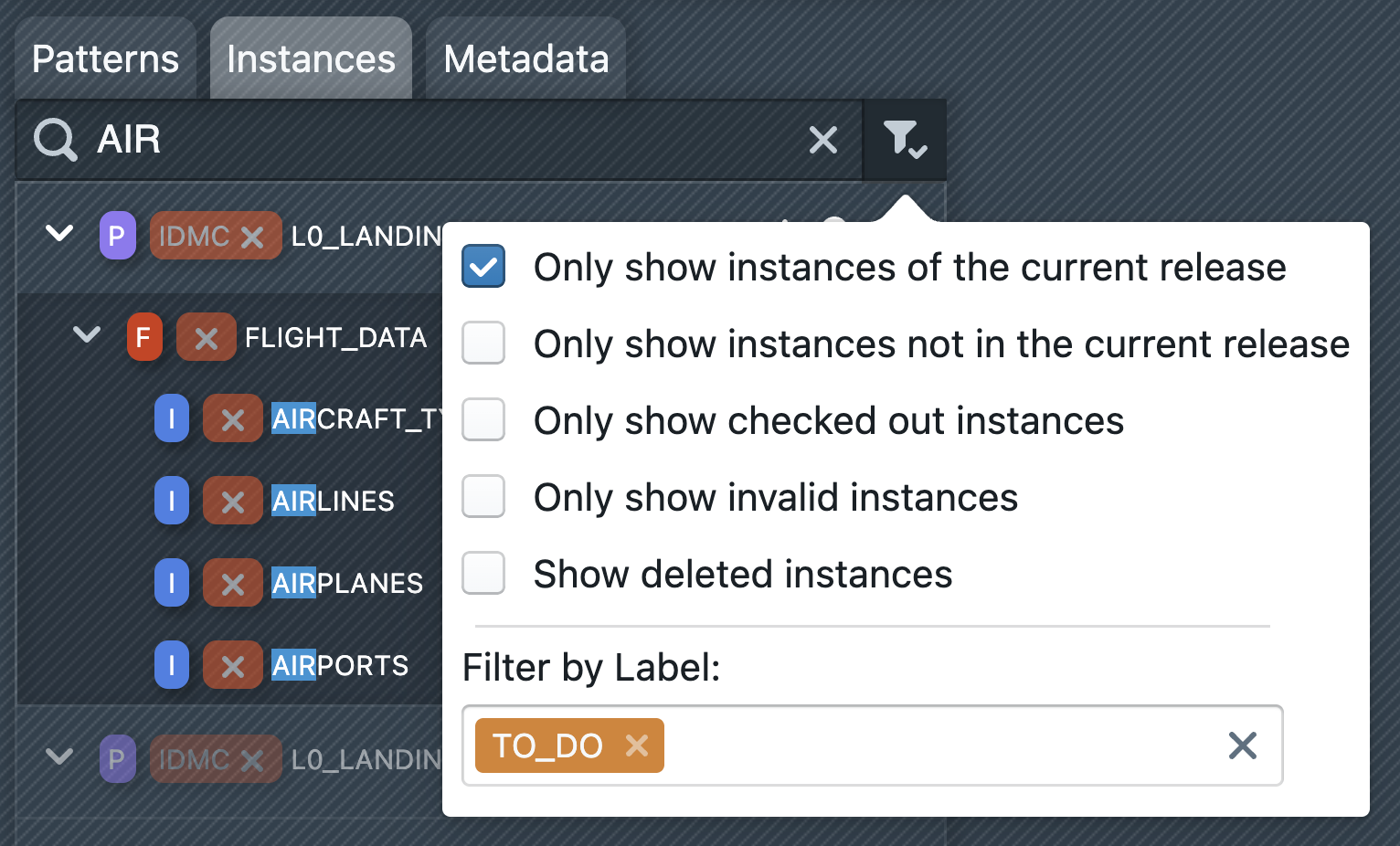
- Text search across instance names and properties
- Quick location of specific instances
Criteria-based Filtering
- Show only instances (not) added to current release
- Show only checked-out instances
- Show only invalid instances
- Include deleted instances in view
Upload and Download Operations
Excel File Upload Process
One way of creating new instances is to upload Excel files containing instance metadata:
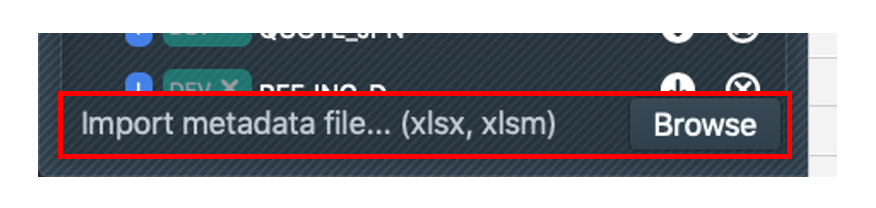
Upload Procedure
- File Selection: Use the selection box at the bottom of the sidebar. Alternatively, you can click the upload button on an instance folder.
- Multiple File Support: Select one or more Excel files for batch upload
- Automatic Processing: The uploaded excel or csv files are scanned and instances are created or updated
- Overwrite Handling: Existing instances with same names are overwritten
- Sheet Processing: MetaKraftwerk reads all Excel sheets named "FIELD_DETAILS"
File Requirements
- Excel format (.xlsx recommended) or CSV
- Excel: Sheet name must be "FIELD_DETAILS"
- Proper column structure matching MetaKraftwerk metadata schema
Excel File Download Process
Export current instance data for offline editing:
Download Features
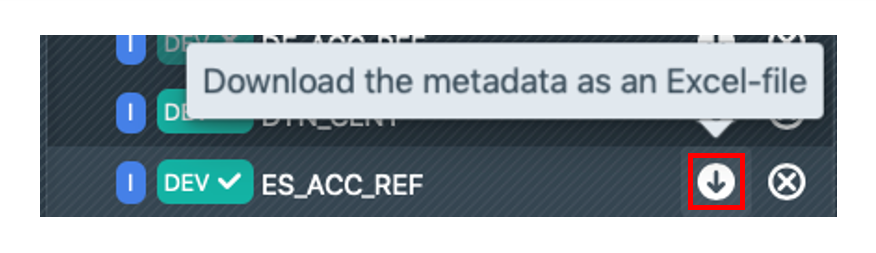
- Available via sidebar interface
- Exports instances as Excel files
- Compatible format for re-upload after modifications
Instance Operations
Instance Deletion and Restoration
Deletion Process

- Delete instances via sidebar interface
- Logical deletion preserves historical data
- Instances remain in system but hidden from normal view
Restoration Capability
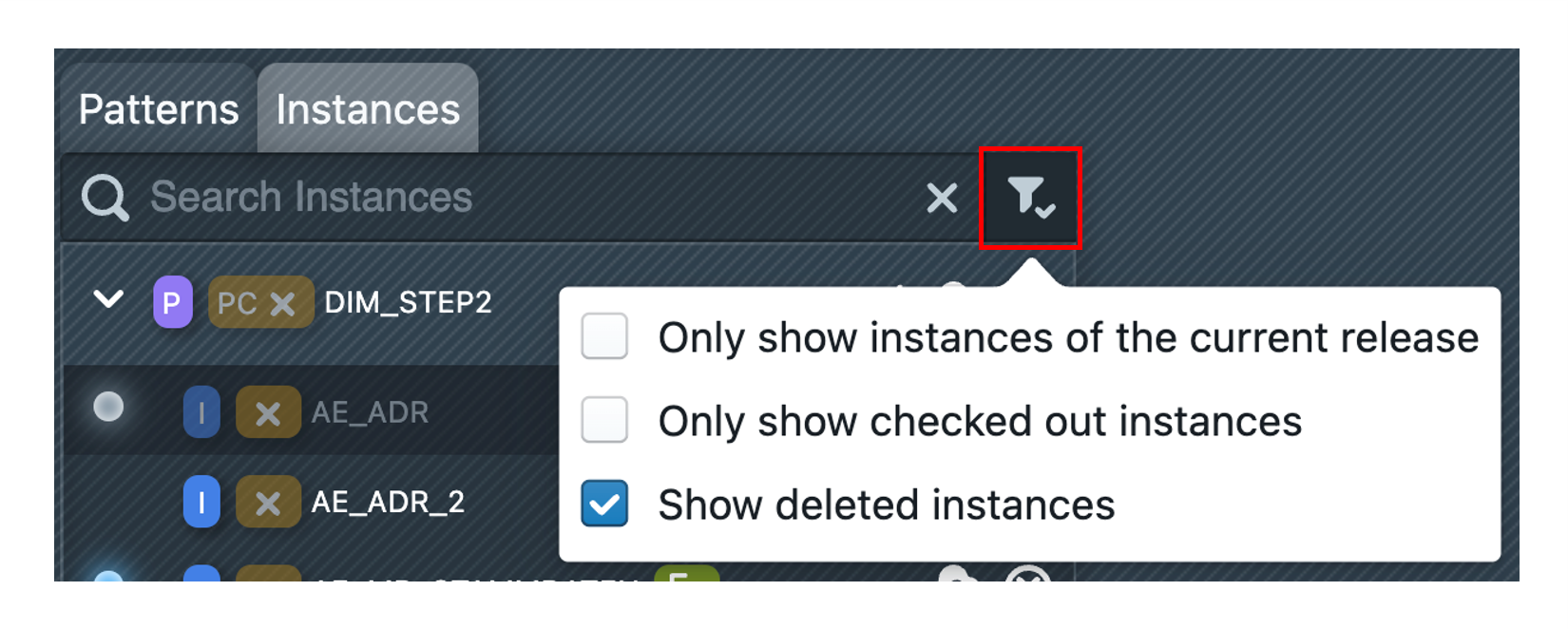
- Use "Show deleted instances" filter option
- Deleted instances marked with red indicator
- Complete restoration to pre-deletion state
- Historical data preservation enables easy recovery
Conclusion
Instance Metadata management in MetaKraftwerk provides a robust foundation for handling metadata. By understanding the metadata structure, utilizing proper upload procedures, and following best practices, teams can efficiently manage complex data warehouse environments while maintaining consistency, traceability, and performance optimization.
The combination of manual editing capabilities, bulk upload options, and version control features makes MetaKraftwerk's metadata management suitable for both small-scale modifications and large enterprise deployments. Regular maintenance and adherence to established workflows ensure metadata quality and system reliability over time.