 MetaKraftwerk

What is an Instance Metadata Schema?
MetaKraftwerk generates executable data integration processes based on a pattern and instance metadata.
The pattern developer defines how the metadata for their pattern should be structured, i.e., what properties/attributes they can have and how they can be classified.
Properties of a metadata item might include Name, Data Type, Length, Transformation Expression or GDPR Indicator.
These properties of the instances are called instance properties.
To classify metadata, categorize it, or assign a functional use in the pattern, there are so-called functional roles.
Examples of functional roles include:
- Source-Fields: Fields read from a source
- Derived-Target-Fields: Fields derived/calculated from source fields using a transformation rule
- Business-Key: A field representing a business key of the entity
- Delivery-Mode: Delivery mode, such as Full, Incremental
- Source-Filter: A filter to be used when reading from a table or other data object
- Target-Table Name: Name of the target table
Important
It is important to note that both the above instance properties and functional roles are only examples. The developer can define these freely, depending on the requirements of the pattern being developed.
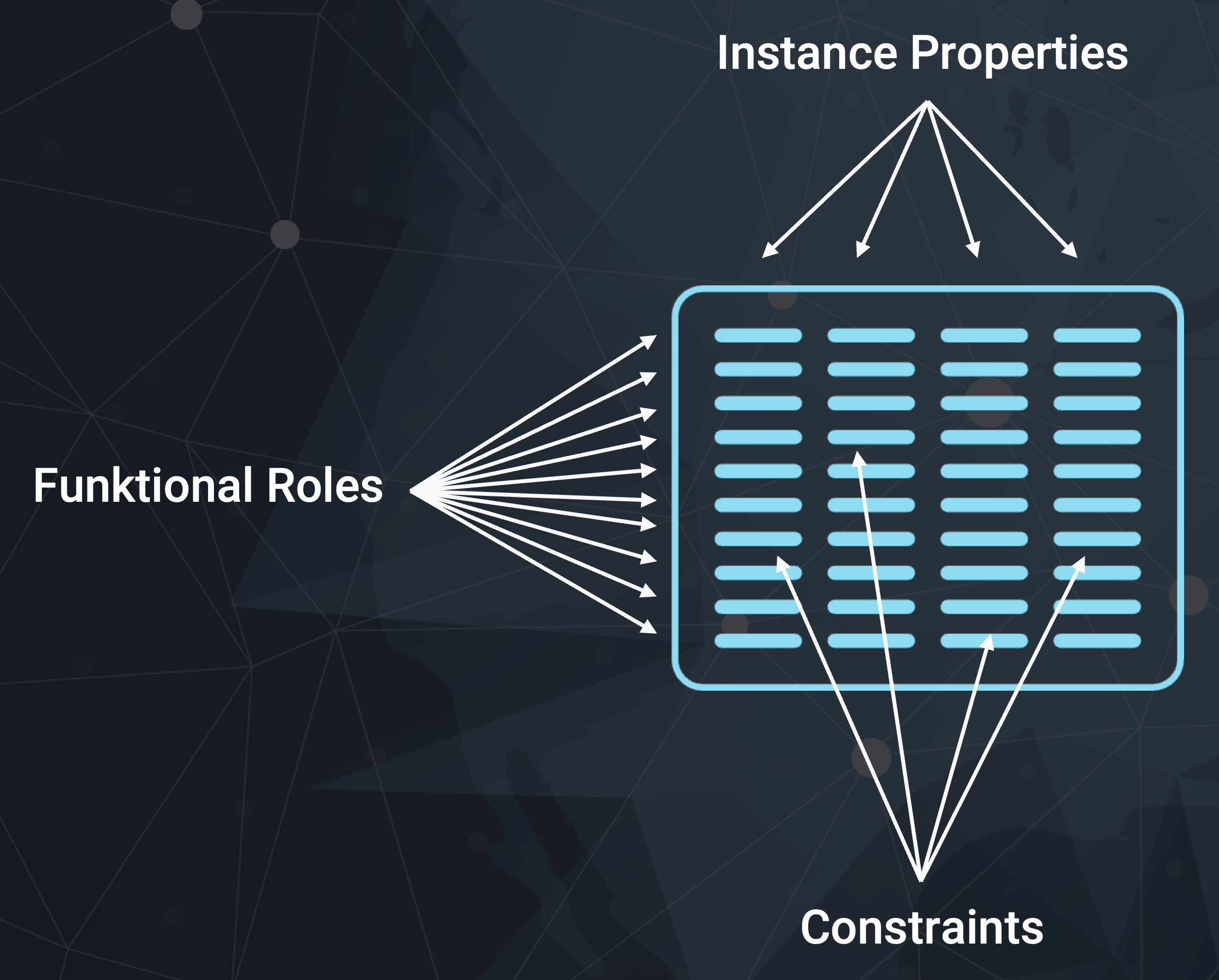
Instance properties and functional roles define the so-called instance metadata schema.
This is a relational schema, meaning instance metadata consists of rows and columns like a table in a database or an Excel sheet.
The instance properties are the columns. One instance property that always exists is FUNCTIONAL_ROLE, which stores the functional role of the instance row.
In this column, the assigned functional role for a metadata item is stored.
Inside the MetaKraftwerk application you see the instance metadata schema when you view an instance: 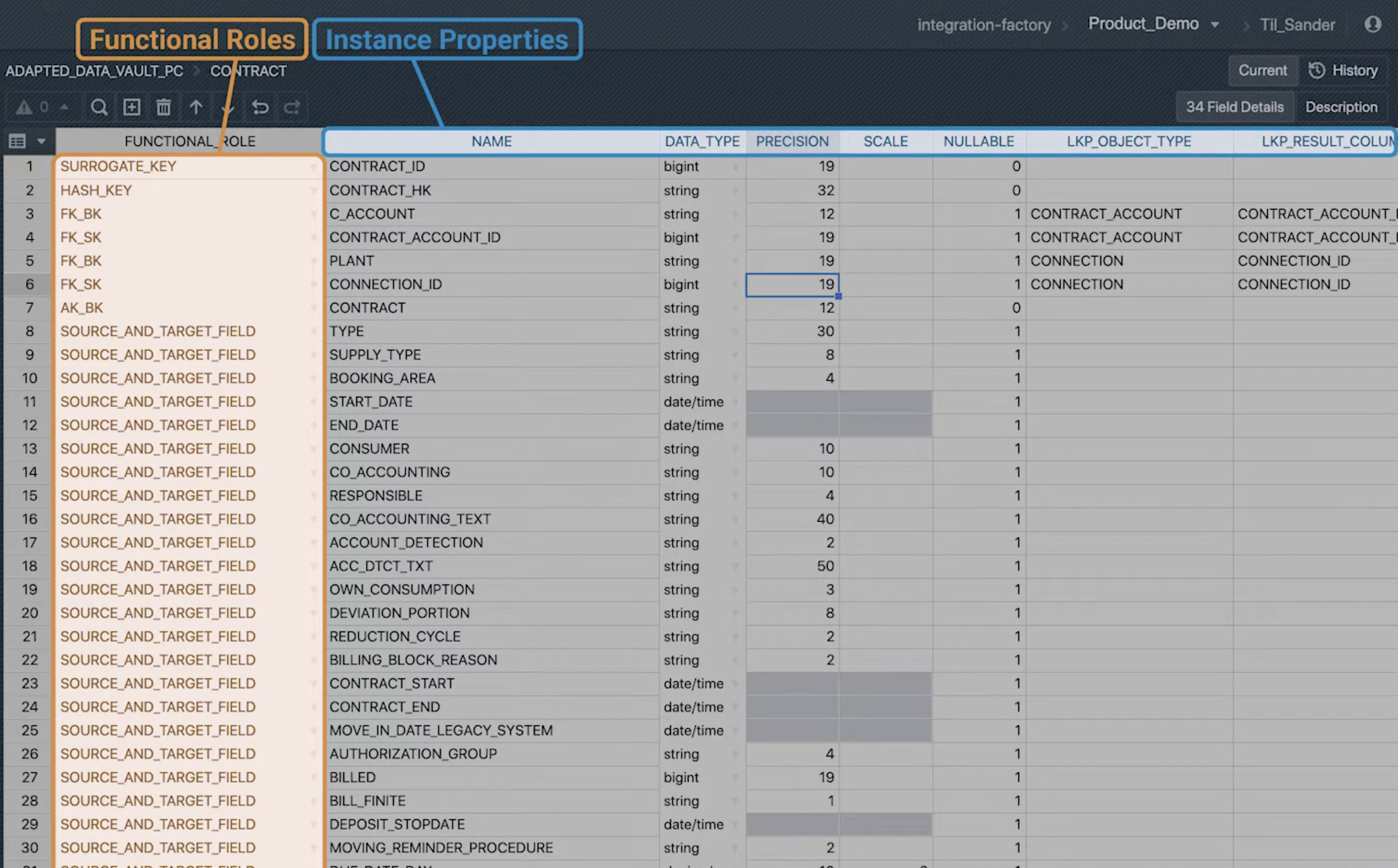
Instance Metadata and Automation
Storing instance metadata relationally has a clear advantage over other representations like JSON or YAML: the metadata is computable.
It can be derived from other metadata using SQL. Thus, it is possible to derive instance metadata from "raw metadata".
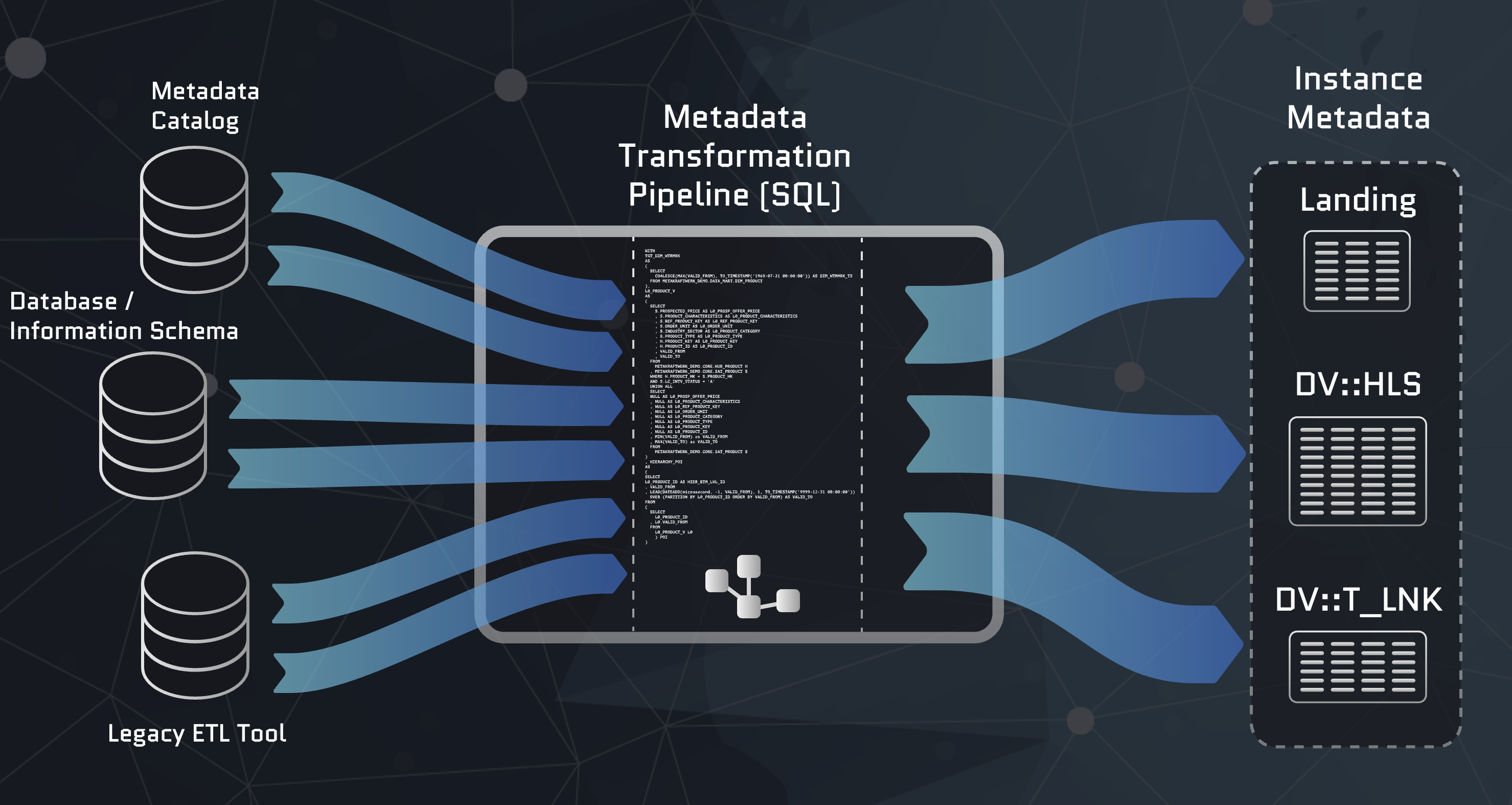
To do this, the "raw metadata" is extracted from source systems (information schema), metadata repositories, data catalogs, etc., and imported into MetaKraftwerk.
In MetaKraftwerk, views, procedures, and scripts can then be developed to transform the metadata into instance metadata.
How this is done is explained in the Meta Database guide.
When a large number of data integration processes need to be developed, true automation can only be realized this way.
Because "clicking together" tables, mappings in visual tools, or manually compiling metadata in JSON or YAML files, as propagated by other data automation tools, is ultimately not true automation of development.
Automation must be thought of end-to-end; only when processes can be generated based on metadata, true development automation is achieved.
Schema Constraints
To automatically validate metadata, it is possible to define constraints on the schema. A constraint is always defined on the combination of functional role and instance property, i.e., how a specific value of a metadata column is validated depends on the assigned functional role.
The following can be checked:
- Occurrence: Is a value required, optional, or not allowed (Required, Optional, or Disallowed)? For example, it might make sense to mark an instance property like Target Expression as required for the functional role Target Field but set it as not allowed for the role Source Field.
- Regular Expression: A regular expression that the value must match
- Enumeration: An enumeration of allowed values that an instance property can take
- Uniqueness: Must the value of this instance property be unique for all rows with the same functional role?
- Fixed Value: The instance property is pre-filled with a fixed value
It is also possible to define conditional constraints, i.e., the above checks should only be performed if certain conditions apply to an instance metadata item, e.g., If Datatype = 'NUMBER' then Precision is required.
Tip
For more detailed information, please read the reference for all settings on: