 MetaKraftwerk

Deletion of an instance

If you want to delete an existing instance, you can do so via the sidebar. To do this, click on the  -icon on the right-hand side of the instance entry in the sidebar.
If there are already commits for an instance, the instance will only be soft-deleted, i.e. it will be marked as deleted and will no longer appear in the sidebar. You can then view deleted instances by opening the instance filter (to the right of the search bar) and selecting 'Show deleted instances'. Deleted instances are then displayed with a red dot in the sidebar.
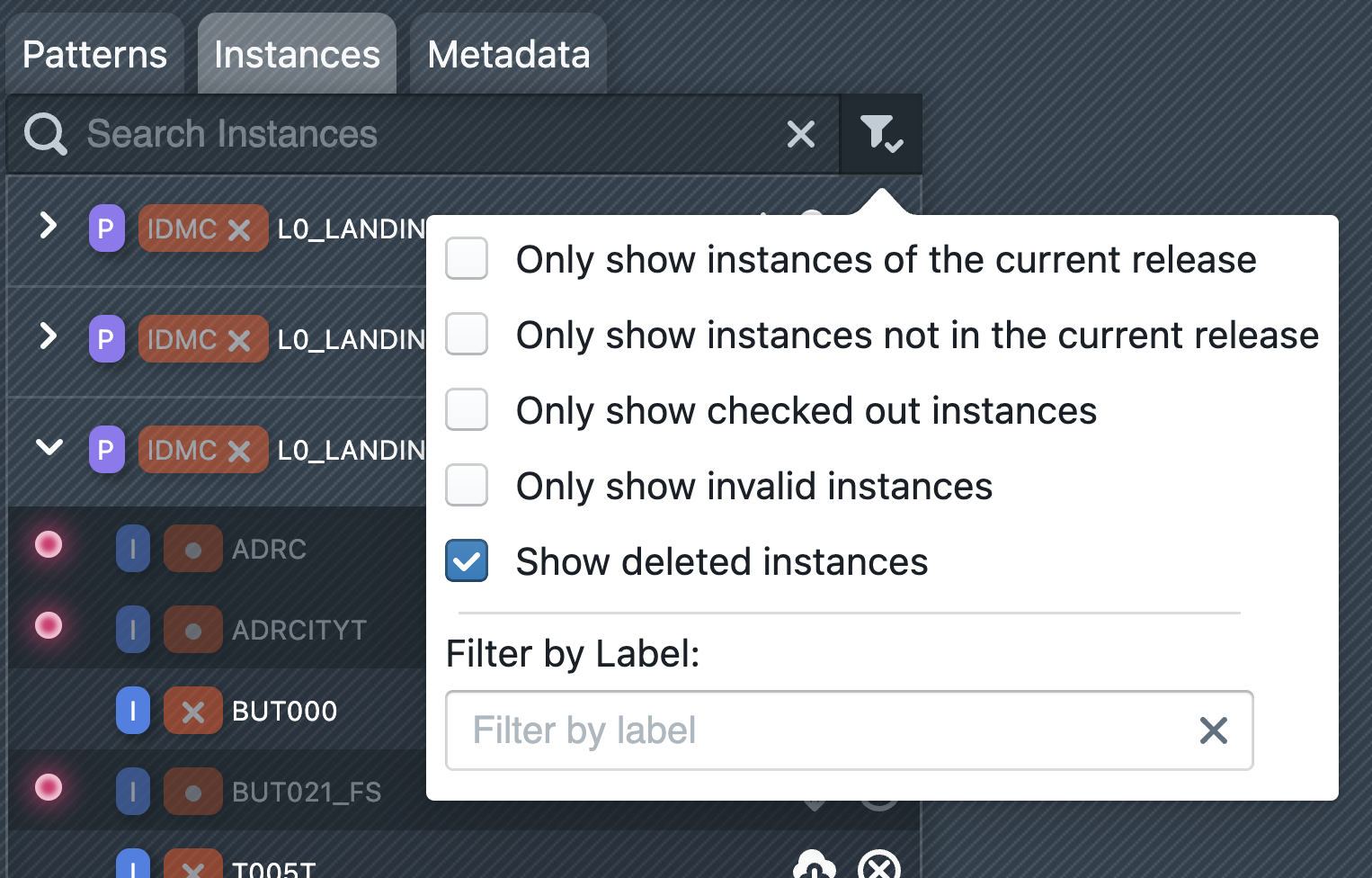
Deleted instances can be restored. To do this, click on a deleted instance in the sidebar and then click on 'Restore Instance' in the main window. Alternatively, you can right-click on the instance in the sidebar and then click on 'Restore Instance' in the context menu. The instance will then be restored to the last state it was in before it was deleted.