 MetaKraftwerk

Modularity - How to use Reusable Expressions?
When developing larger systems, whether it's software or data integration processes, modularity is crucial to manage complexity.
Certain components and functions are used in various places and build on each other. MetaKraftwerk also offers the possibility to build patterns modularly using reusable expressions.
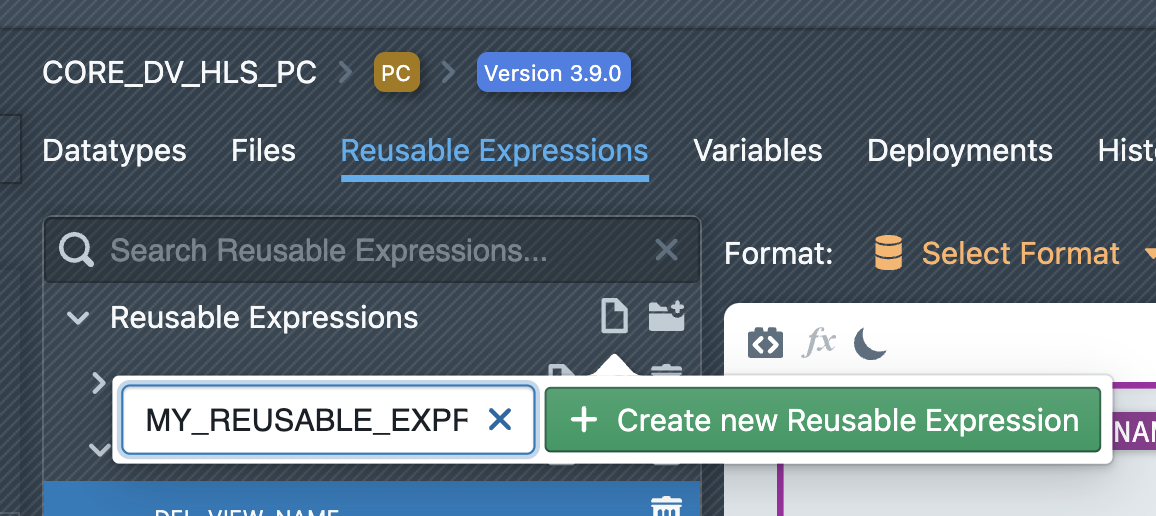
Reusable expressions are defined in the pattern settings under the "Reusable Expressions" tab. Click on the file icon above the list of reusable expressions.
Choose a name and then click on + Create new Reusable Expression. The new reusable expression will then appear in the list. It is also possible to create (sub)folders to organize the reusable expressions.
To edit a reusable expression, click on it in the sidebar to select it. An editor will then be displayed on the right side next to the list, where the reusable expression can be edited.
Initially, it will be empty.
The editor is the same one used for File Templates.
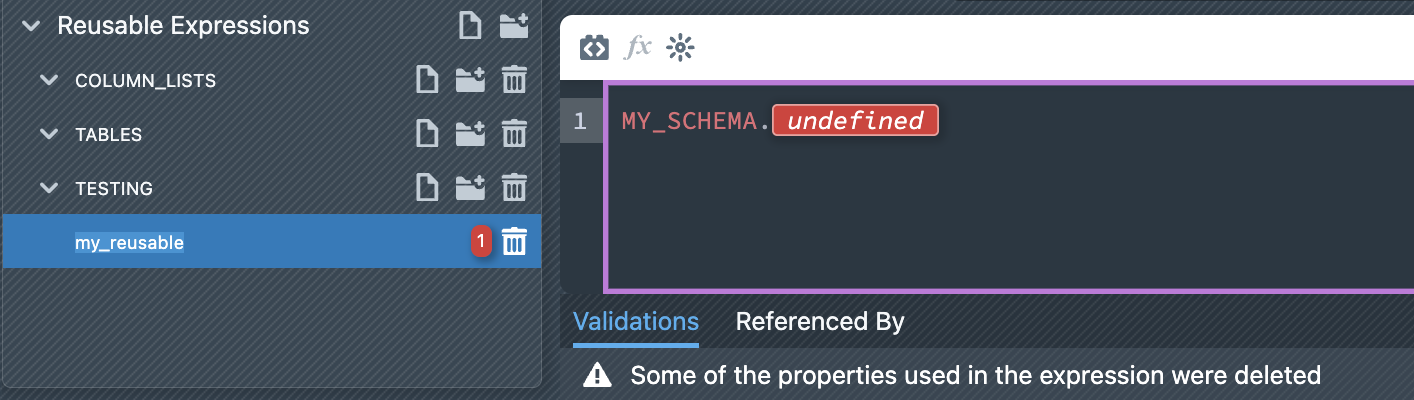
Reusable expressions are validated by MetaKraftwerk, e.g., it checks whether references still exist and whether expression blocks are correctly defined. Errors in the development of reusable expressions are displayed below the editor in the validations list. By clicking on an error in the list, you will be taken directly to the location of the error.
References
Within a reusable expression, you can reference other reusable expressions of the same pattern.
Cycles must be avoided. However, cycles are detected by MetaKraftwerk and marked as <Cyclic reference> in the generated output.
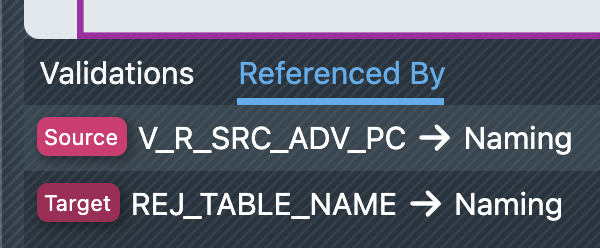
In the "Referenced By" tab, you can see all the places in the pattern where the currently open reusable expression is used. By clicking on a reference, you jump directly to the location of the reference.
Example - Reusable Expression for the Name of a Table
A common example of a reusable expression is the name of a table.
Table names are used in various places in the pattern (e.g., within a loading procedure or a DDL) and must be spelled correctly everywhere.
Therefore, it makes sense to define the naming rule for a table in a reusable expression. This ensures that the naming rule you want is always applied.
We will now create a reusable expression for the naming rule of a reject table. To do this, we create a new reusable expression as described above and name it "REJ_TABLE_NAME". In the editor, we now click on the icon to insert a new expression block. In the block settings on the right side next to the editor, we select the functional role REJ_TABLE_NAME in the "Functional Roles Filter" (this example assumes that this functional role has been created beforehand).
Within the block, we enter NAME and confirm the instance property NAME in the appearing auto-complete.
Alternatively, you can select the "Instance Properties" tab on the right side next to the editor and drag the instance property from the list to the desired location in the editor.
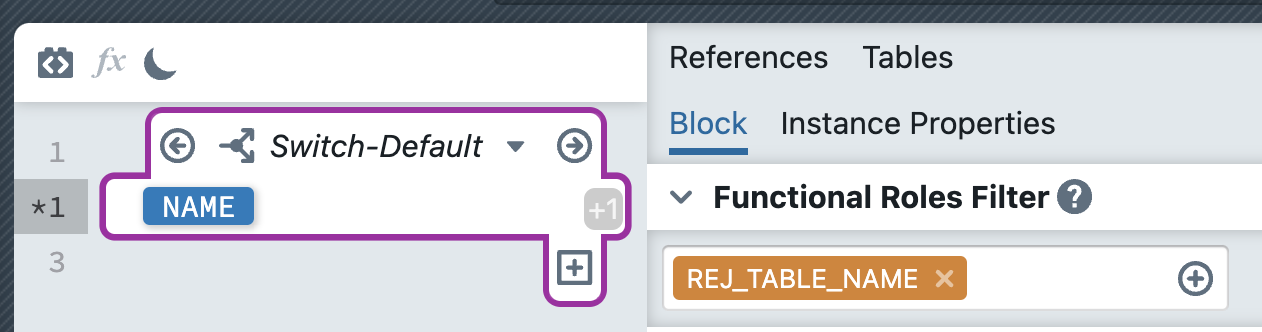
Our reusable expression should now look like the screenshot.
The expression block is interpreted during a build of the instance so that for all metadata of an instance assigned to the role REJ_TABLE_NAME, the expression within the block is evaluated, i.e., in this case, the value of the instance property NAME is inserted at the appropriate place. If an instance contains the functional role REJ_TABLE_NAME multiple times, the individual expressions are written one after the other, and an optional concatenation string can be specified in the block settings.
In our example, however, the cardinality of the role is set to [0:1], so it can only occur once in an instance.
In case the role is not present in an instance, you can create a default rule. To do this, switch to the default case of the expression block by selecting Block-Default from the block's dropdown (to see the dropdown, the cursor must be inside the block). Now we enter the following naming rule: REJ_INSTANCE_NAME. After entering "REJ_", drag the reference "INSTANCE_NAME" to the correct location. You can find the reference on the right in the "References" tab.
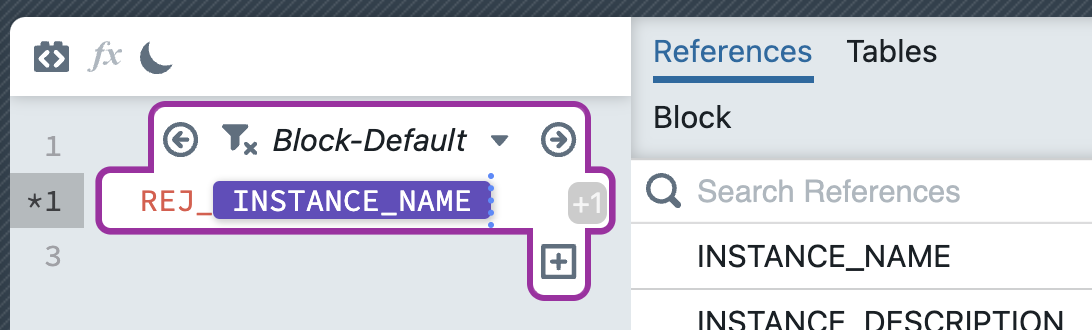 INSTANCE_NAME is a special property for which the name of the currently generated instance is inserted during a build.
 The expression block should now look like the screenshot.
Our reusable expression is now complete and can be used in the pattern.
Create a test file named "REJ_TABLES.sql".
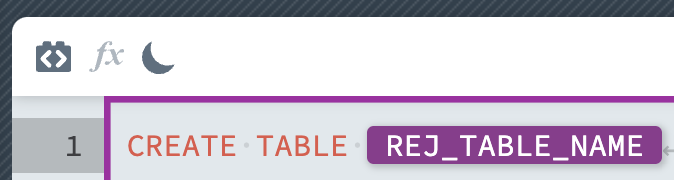
After entering CREATE TABLE, type REJ and select the previously created reusable expression using Enter in the auto-complete. The file should now look like this:
More information about reusable expressions: