 MetaKraftwerk

Project Definition
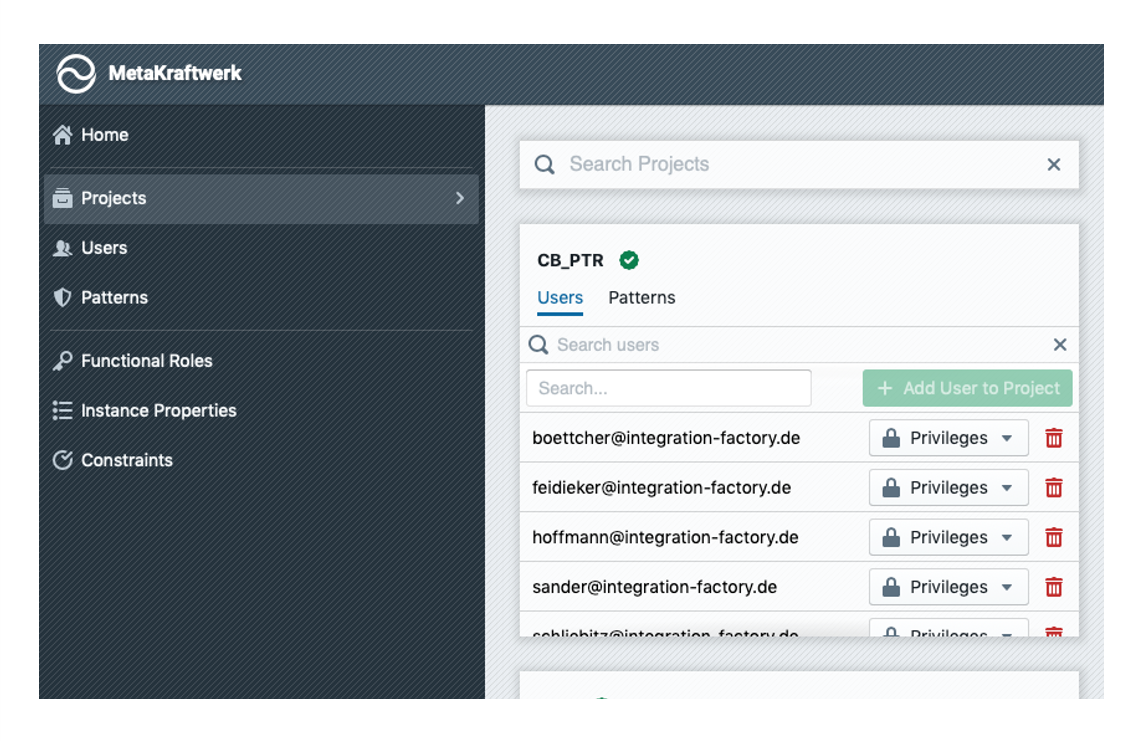
In the section "Projects", the administration of projects is possible. All previously created projects are displayed here. Below the project name there are the tabs Users and Patterns.
Adding users to a project
Under Users, existing users can be added to a project or removed from a project. For each user, the following privileges can be assigned at project level:
| Privilege | Description |
|---|---|
| View Deliveries | Allows the user to view the previously delivered artifacts (XML metadata, DDL scripts, etc.) and to export a delivery report in PDF or Excel format |
| View Builds | With this privilege the user can view the previous builds to see which process instances have been created with which changes |
| Start/Delete Builds | This allows the user to start a new build and delete failed builds |
| View Patterns | Allows the user to see the available patterns in a project |
| Modify Patterns | With this privilege, the user can also change a pattern and adapt it to the project requirements |
| View Instances | This allows the user to read and export instance metadata |
| Edit/Delete Instances | This privilege allows the user to modify instance metadata and delete instances |
| View Pattern Variables | This allows the user to see the values of pattern variables |
| Edit Pattern Variables | This privilege allows the user to modify the values of pattern variables |
| Project Owner | This privilege allows the user to define all properties of a project, add/remove users and patterns to/from the project |
Adding patterns to a project
Under the tab Patterns existing patterns can be made available in a project. To add a pattern to a project click on the drop down next to the green button. Select a pattern from the list and then click on + Add Pattern to Project. The pattern then appears in the list of the project's patterns below. You can remove it again by clicking on the trash icon.