MetaKraftwerk

Part 2 — Create Instances of the Pattern in MKW
Instances are a set of metadata. They belong to a pattern and thus have the metadata schema which is defined by the pattern. Each instance contains the configuration required to generate operational code.
Note
For a practical walkthrough of the Instance Metadata, watch the video in the What is Instance Metadata.
1. Download and Customize Instances
Download sample Instances ( instances_for_synapse_tutorial.zip ) and extract them.
Then, customize the column such as PATTERN to match the corresponding pattern name in MetaKraftwerk exactly. If you already have named your Pattern exactly
BRONZE_DV_PREPthen you could just leave the values as they are for now.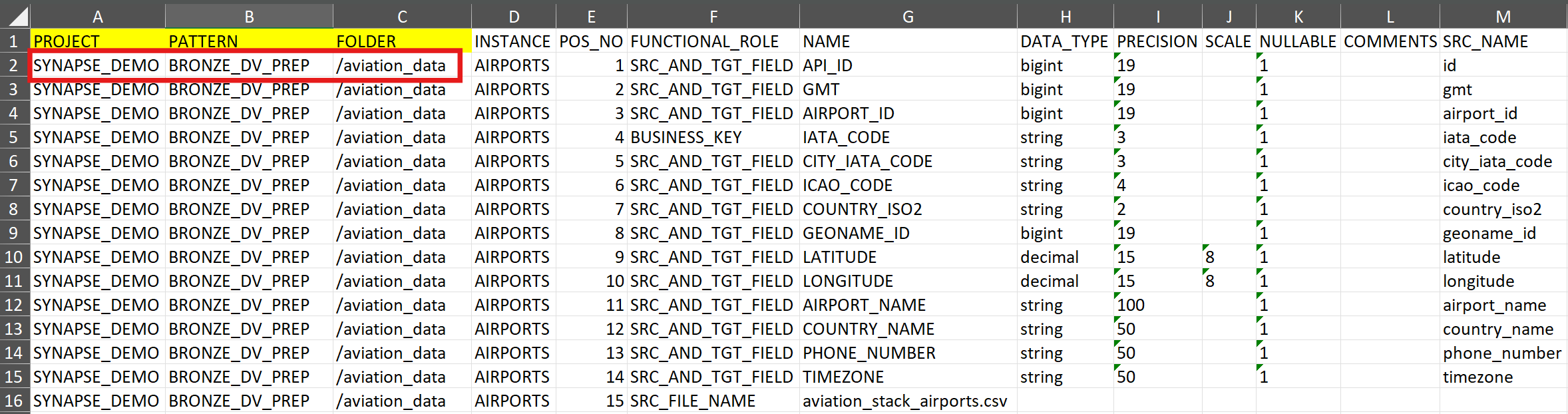
Note:
You can also see a complete list of downloads in Prerequisites.
2. Create a Folder in MetaKraftwerk
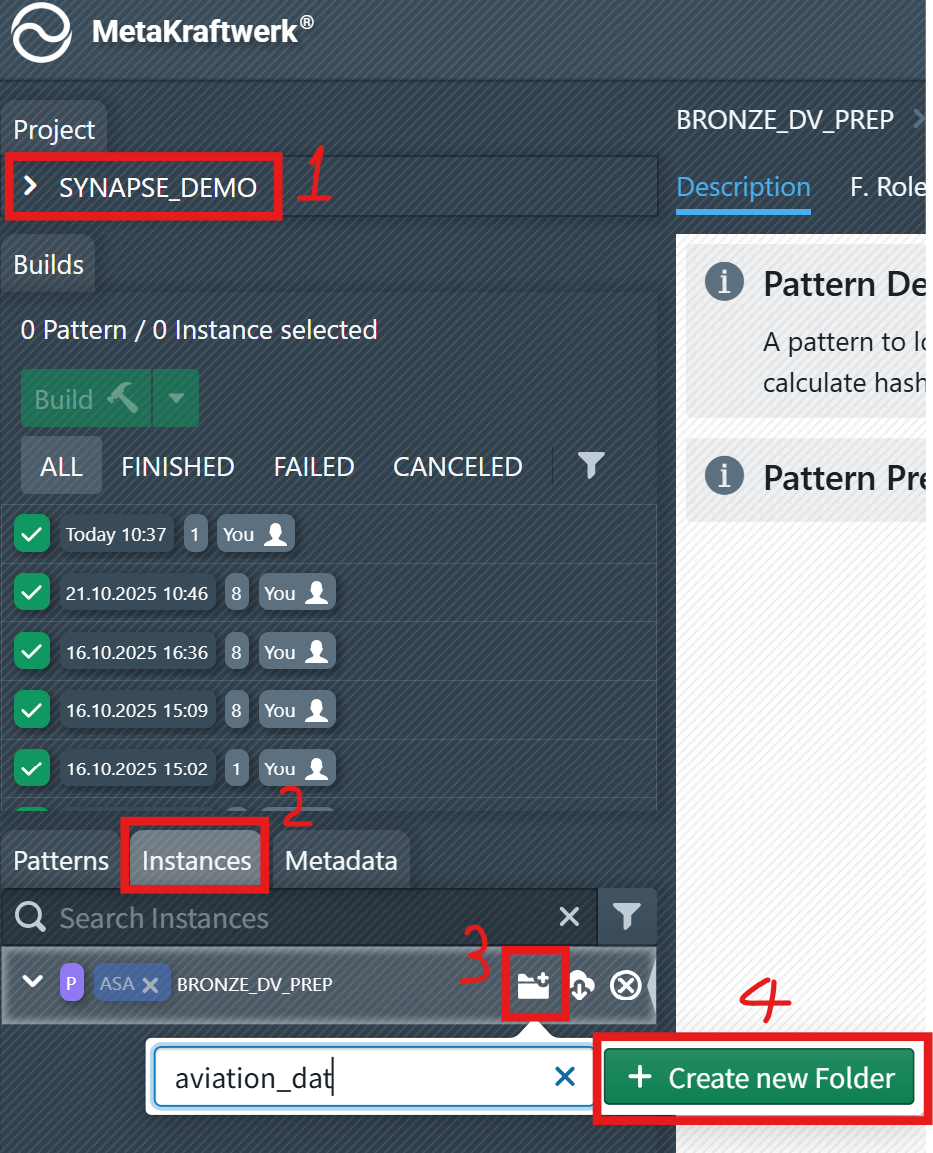
To organize instances it is a good idea to create folders for them (e.g. one folder per source system or business domain).
Go to the
Instancestab.Click the folder creation icon and enter the folder name (e.g.,
aviation_data), then click + Create new Folder .
3. Upload Instances
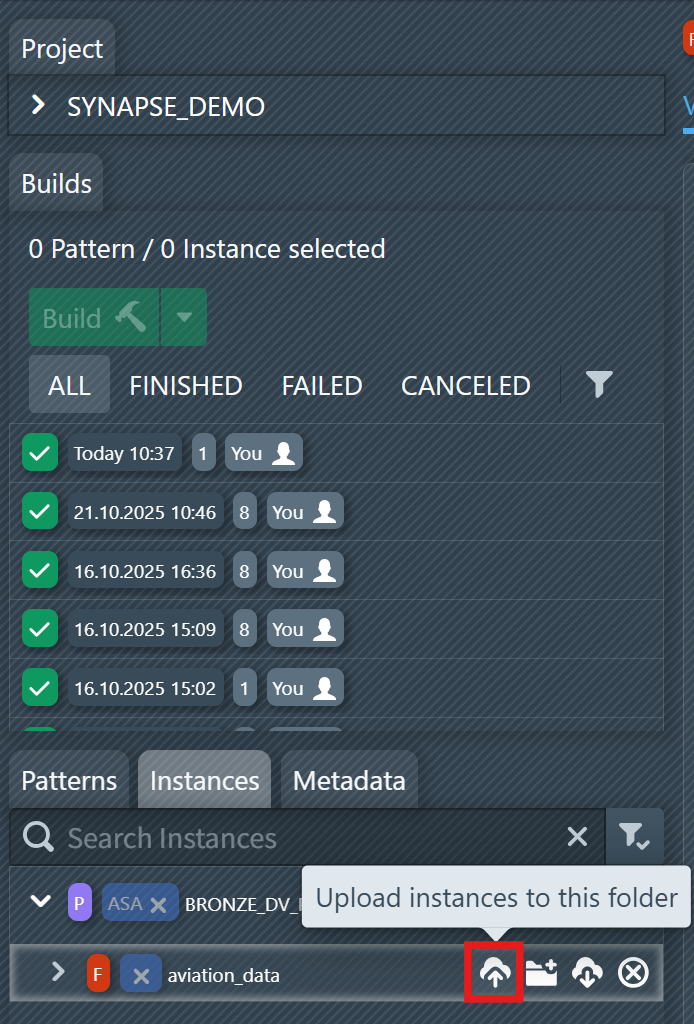
Now we have to upload the instance metadata to the folder we just created. This will create some instances under this folder, each with its metadata.
Select the folder, click the upload icon to upload the customized instances into this folder.
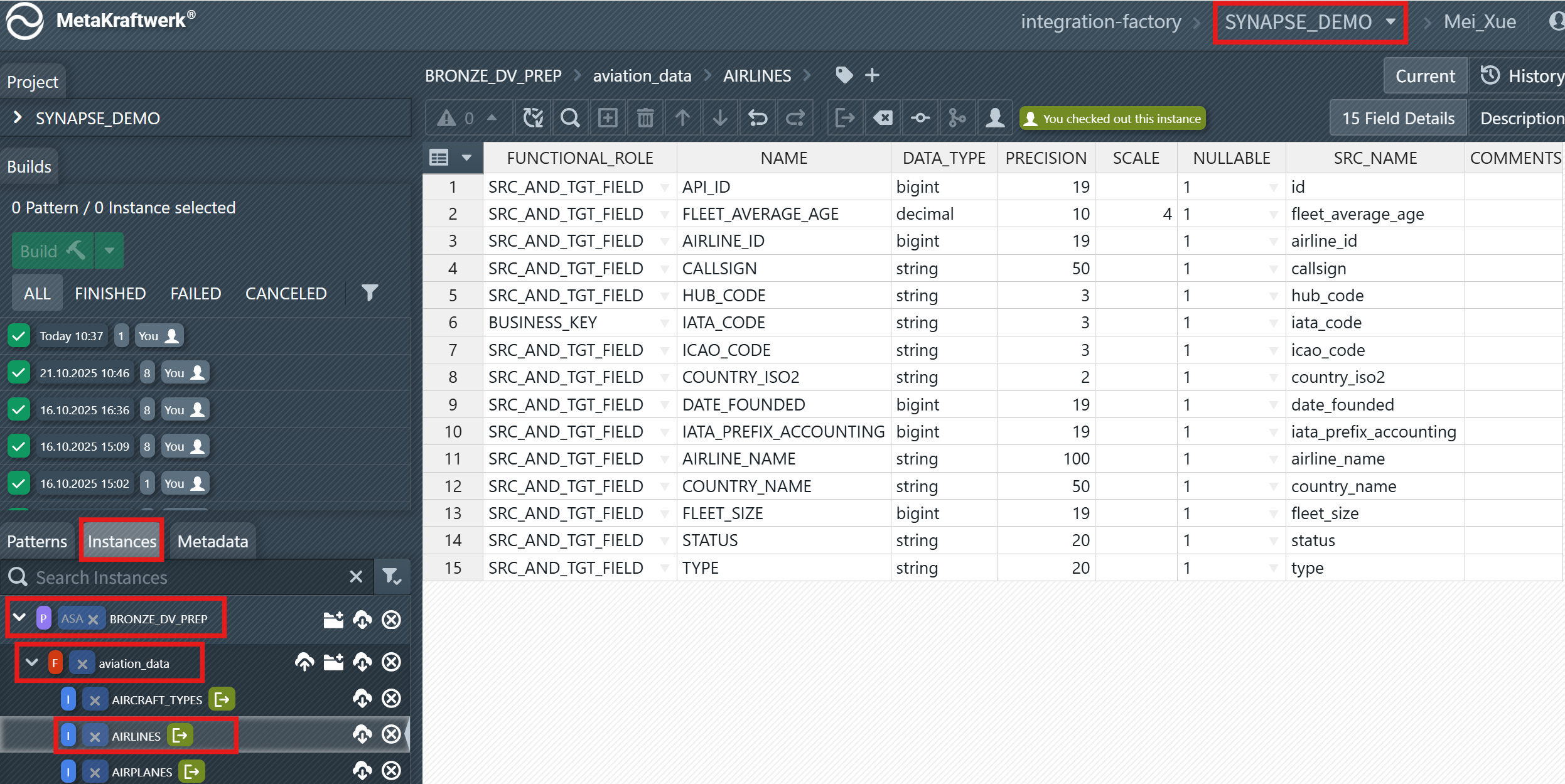
After successfully uploading the instances, you can view and edit them as shown in the screenshot.