 MetaKraftwerk

Pattern Definition
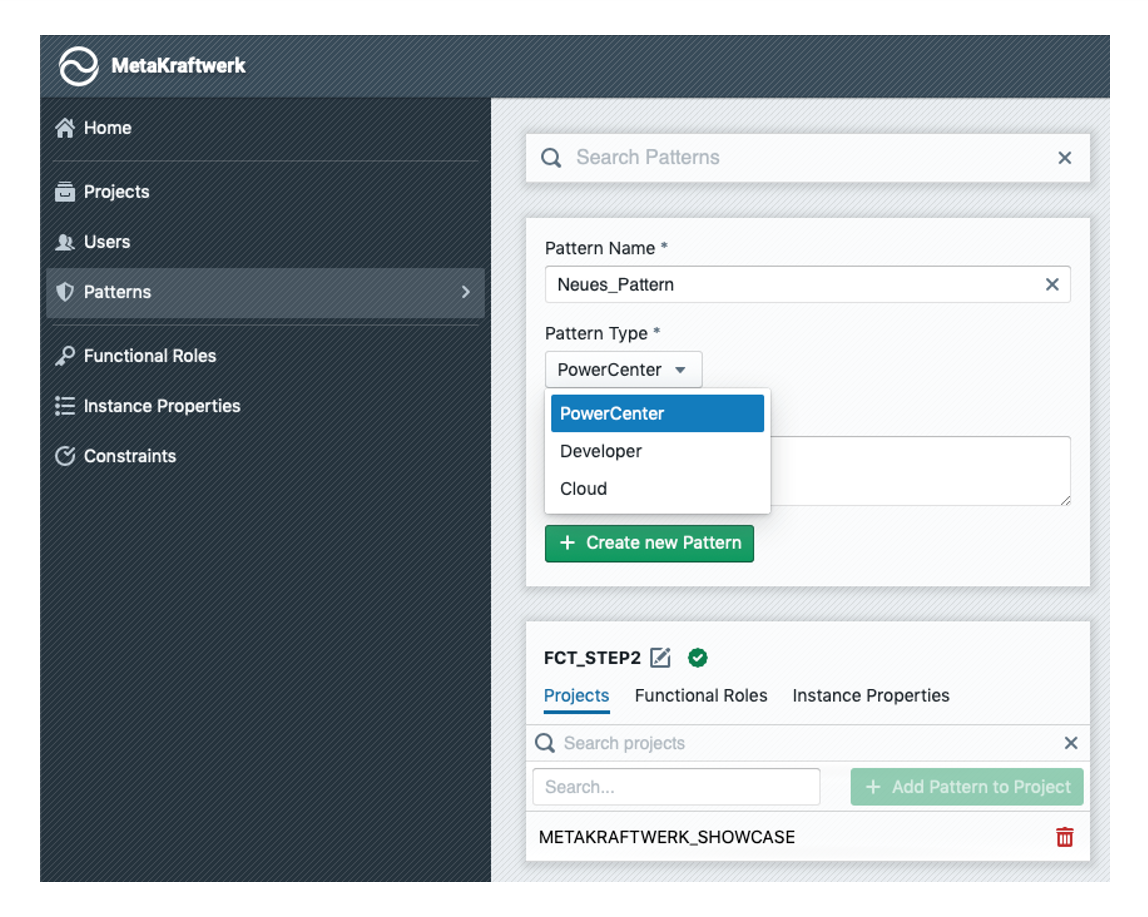 A pattern is the combination of a process (mappings, data structures, workflows, etc.) and other metadata (functional roles and instance properties).
 In order to develop a new pattern, you first have to define a pattern in the administration console under "Patterns".
For a pattern, the name, type (Synapse, IDMC, Snowflake etc.) and an optional description are defined here. This information can be customized later (via ). In addition, a pattern can be put into an inactive state so that it can no longer be used in the project (via
 /
/ ).
).
Similar to a project, a pattern has several tabs. Under "Projects" a pattern can be added to several projects, so that it can be used in these for the development. In addition, Pattern Variables can be added under "Variables" (see the section below for more information on variables).
Pattern Variables
Pattern variables provide a flexible way to parameterize and configure patterns without hardcoding values. They can be defined, referenced, and overridden at different levels depending on the project needs.
Defining Variables
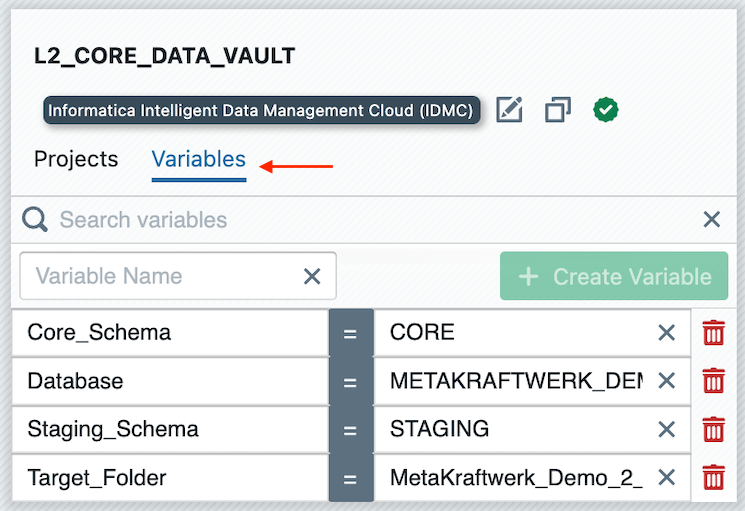
Variables are defined in the Administration Console under the section Patterns .
Here, you can create and manage variables that are associated with a specific pattern.
Setting Variables on Pattern Level
Within a project, pattern variables can be set at the pattern level.
In the Variables tab, you can assign default values to each variable. On the right-hand side under References, you can also see where each variable is used inside the pattern (e.g., in SQL scripts, mappings, or transformations).
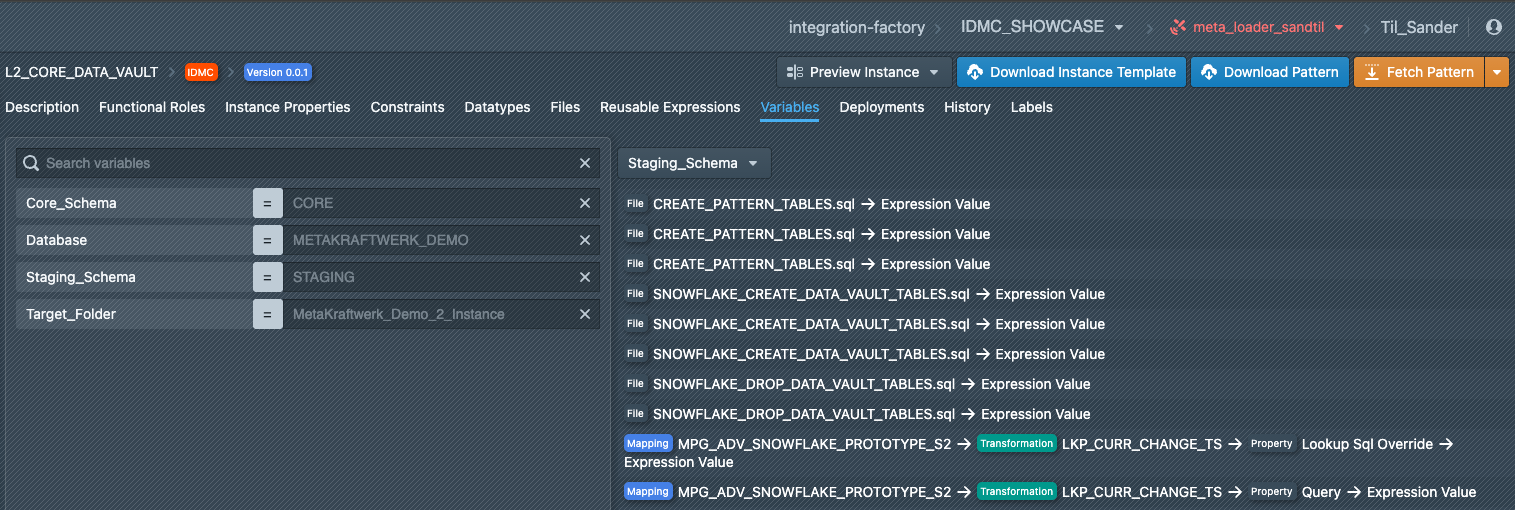
Overriding Variables per Instance Folder
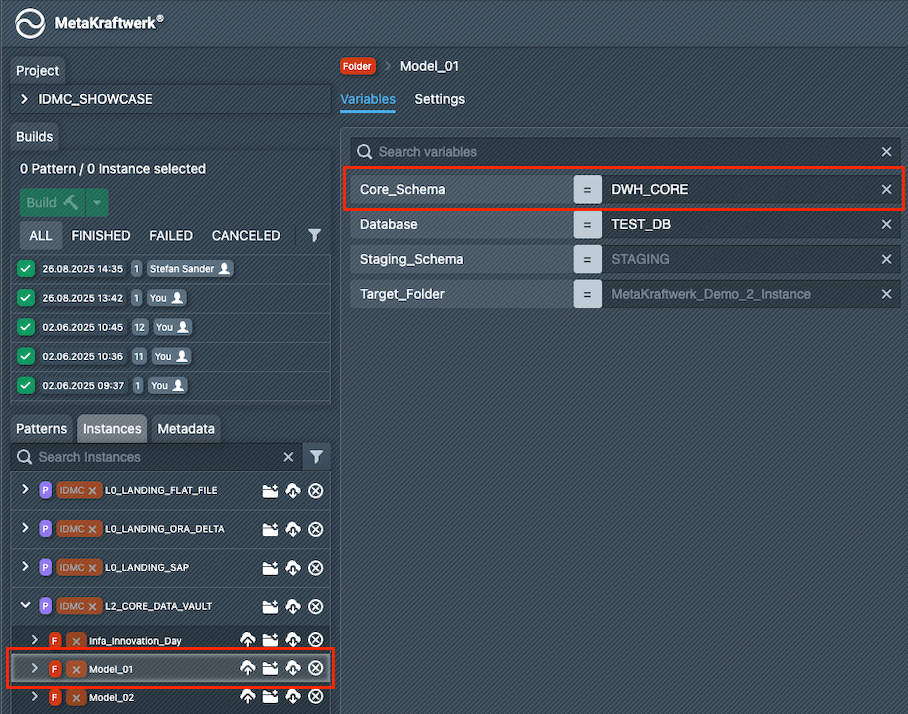
Pattern variables can also be overridden individually for each instance folder. This allows different environments (e.g., DEV, TEST, PROD) or specific models to use their own schema, database, or target folder values while still reusing the same underlying pattern.
Variable Usage and Substitution
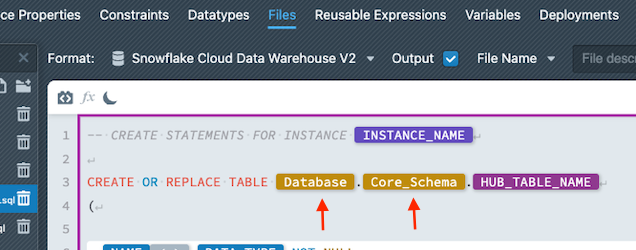
Variables can be referenced at many points in a pattern, such as inside SQL files or transformation properties.
During build time, placeholders are automatically replaced with the concrete values, depending on whether the variable is resolved from the global pattern level or from an instance folder override.
This mechanism ensures that patterns remain reusable and environment-independent while still allowing precise configuration when deployed in different contexts.