 MetaKraftwerk

Pattern Versioning
When developing patterns in MetaKraftwerk, development states are recorded in commits. This allows the developer to revert to or view older development states. A commit is automatically created each time new metadata for the pattern is uploaded (e.g., when the underlying export files change). Additionally, it is possible to create a commit manually.
To view the commit history of a pattern, first click on the pattern in the sidebar to see the pattern settings. Then switch to the "History" tab (top bar). The most recent commit is at the top of the list, with previous commits listed below. For each commit, the following information is displayed:
- A version number consisting of major, minor, and patch versions (e.g., 1.3.6)
- The user who created the commit
- The date and time the commit was created
- A comment describing the changes in the commit.
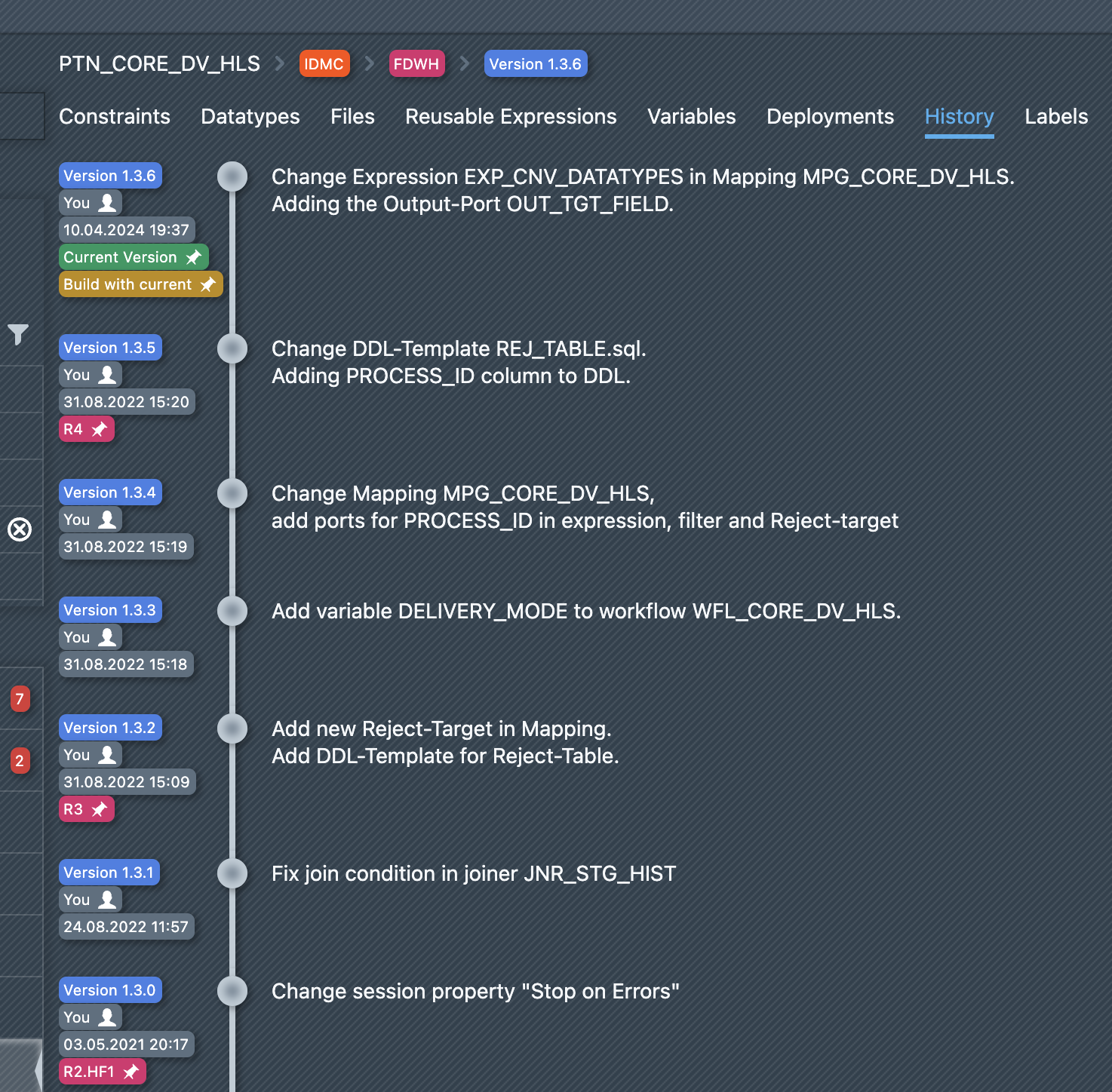
Exactly one release is marked as the current release (green label Current Version). This is the version that the developer sees in the editor when editing file or pipeline templates.
Additionally, exactly one pattern version is marked either with Used for builds or Build with current (yellow label). This version is used to build instances.
- Used for builds: The version to be used for the build has been set by the pattern developer to this specific version, and the assignment remains even if there is a new current version.
- Build with current: The version to be used for the build is always the current version. If there is a new current version, the build version automatically changes as well.
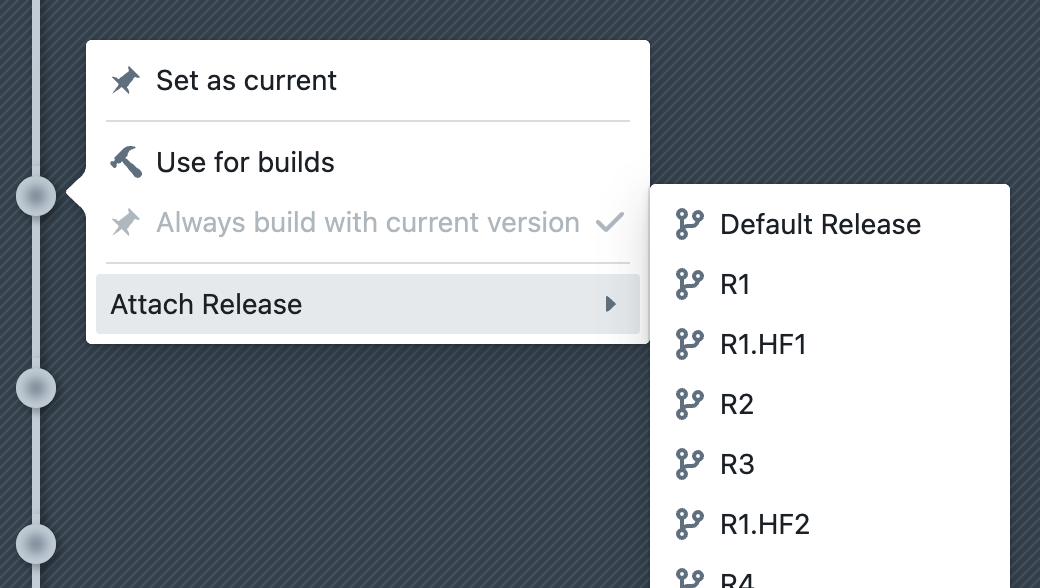
You can choose whether to build with the current or another version by clicking on a commit (see screenshot below).
Linking Pattern Version with Release
As described in the section Release Management, it is possible to configure release management for instance metadata.
If a pattern has been assigned a release group, it is possible to link a pattern commit (i.e., a specific version of a pattern) to a dedicated release of this release group. This ensures that instances of a specific release are built with exactly this pattern version.
The pattern developer can thus align pattern development with the releases of the instances. For example, as shown in the screenshot above, the pattern version 1.3.2 was used for release R3, while the newer pattern version 1.3.5 was used for the subsequent release R4.
To assign a release to a pattern version, click on a pattern version and then select the desired release under "Attach Release".
A pattern version can be assigned to more than one release, e.g., version 2.1.0 can be assigned to releases R5 and R6.
Conversely, a release can only be assigned to one pattern version, i.e., release R5 cannot be assigned to both pattern version 1.0.0 and 2.0.0 simultaneously, as it must be clear which pattern version is to be used for the build in that release.
Note: The editor provides a predefined reusable variable PATTERN_VERSION as a placeholder for the pattern's version. During the build, it is automatically replaced with the actual version number used.