MetaKraftwerk

Part 4 — Synapse: Create a Pipeline and Download support files
To export a support file from Synapse, a pipeline must be created. In our case, the pipeline contains a notebook activity that references our sample notebook. This exports the notebook as a dependency in the support file. We will later upload the support file to MetaKraftwerk in the pattern to create a basic structure for the objects.
The pipeline orchestrates the execution of a Synapse Notebook and provides all necessary parameters for processing. It ensures that the notebook runs with the correct configuration, resource management, and error handling. The pipeline is fully parameterized, meaning it can be reused for different environments or Salesforce objects.
1. Download sample pipelines
- Download sample pipeline ( bronze_dv_prep.json ).
Note:
You can also see a complete list of downloads in Prerequisites.
2. Create new Pipeline
In Azure Synapse, create a new pipeline named
bronze_dv_prep, click the{}(Code View) icon.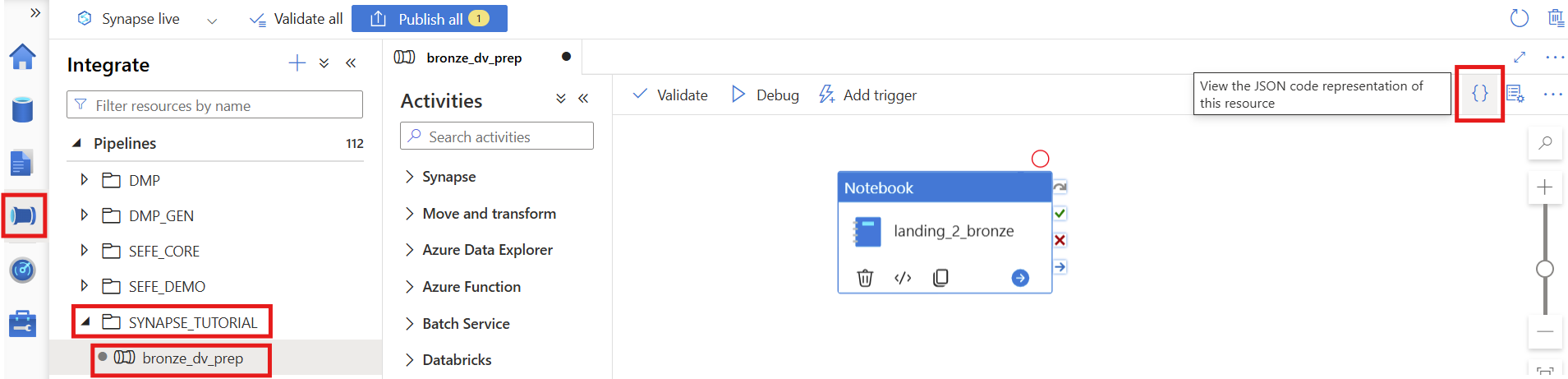
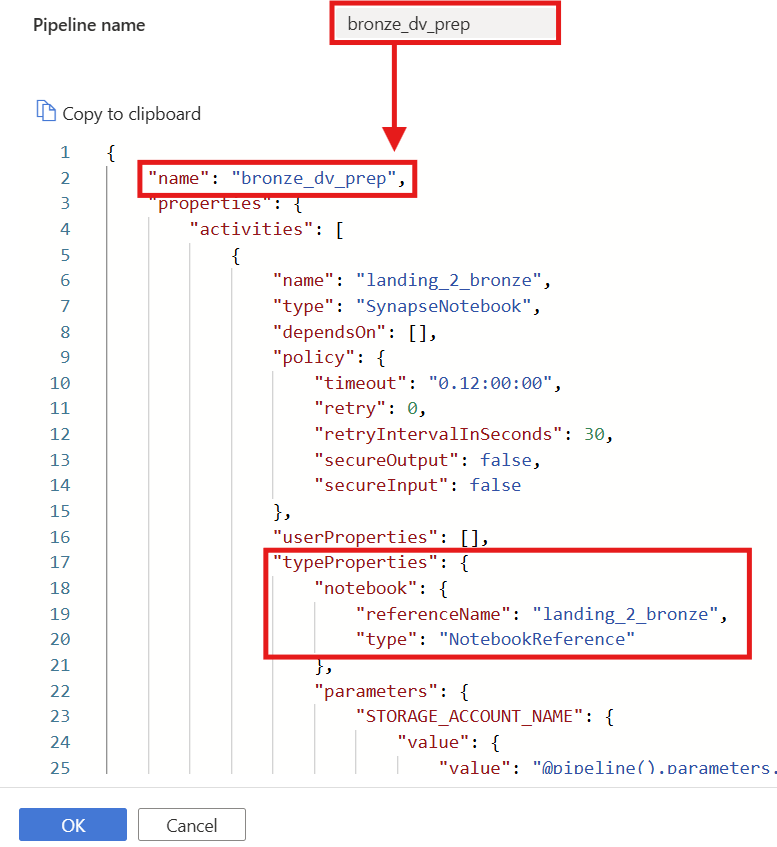
Copy the JSON content from the downloaded sample file (
bronze_dv_prep.json) and paste it into the code editor.Click OK to apply.
Note:
- The pipeline name in the JSON must match the pipeline name you created.
- Under "typeProperties", the "referenceName" for the notebook must match your actual notebook name (e.g.,
landing_2_bronze) - If an error occurs when saving, check that all names and parameter mappings are consistent.
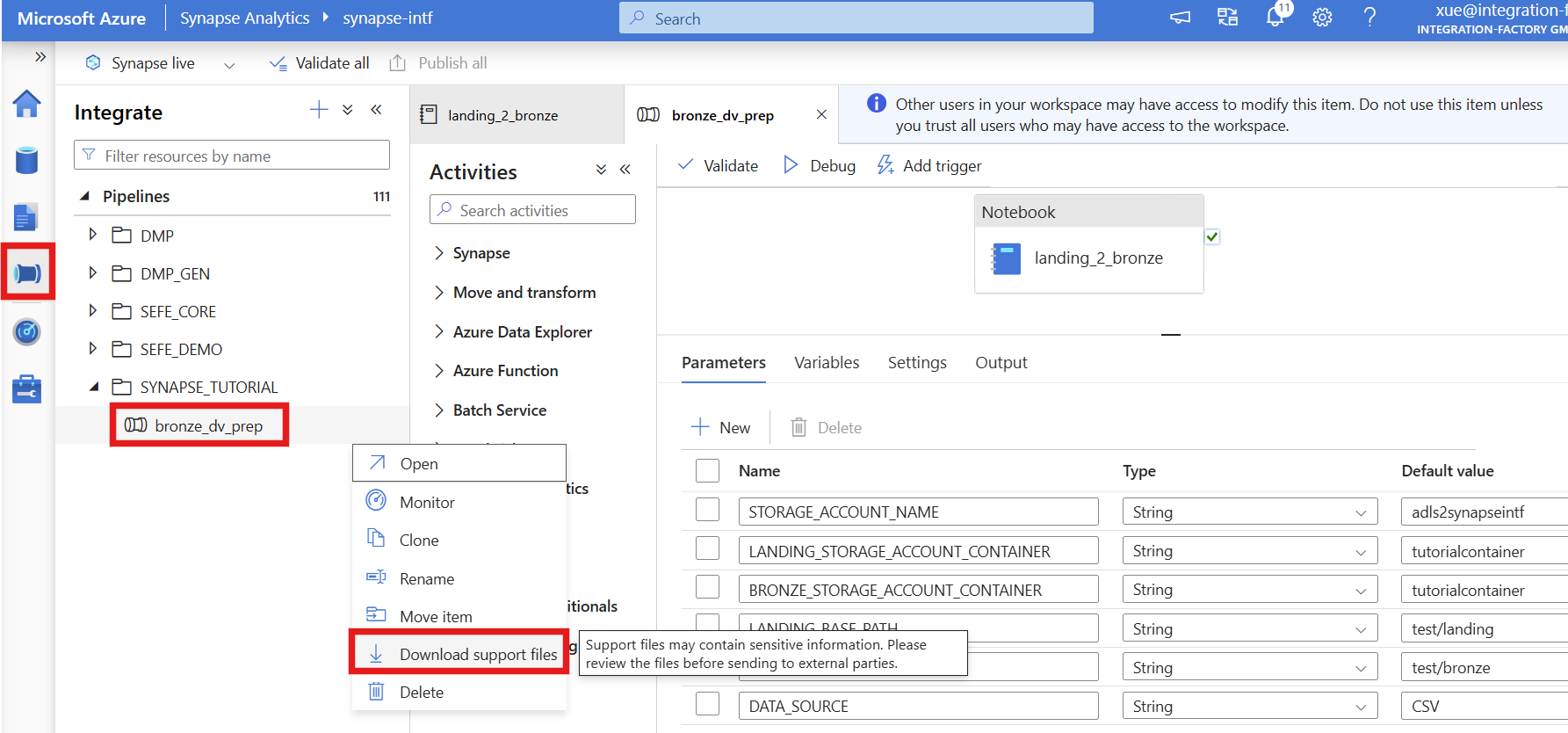
3. Download support files
- Please publish and commit your pipeline
- Now download the support files for the pipeline — these can be uploaded in Metakraftwerk into your pattern