 MetaKraftwerk

SQL Basics in MetaKraftwerk
MetaKraftwerk makes all its metadata available via SQL. For this purpose, there is the so-called meta database. The meta database contains objects such as tables, views and procedures. A meta database is automatically created with each new project. Instance metadata and metadata about builds and commits are also available for querying. The following is an overview of the various functionalities of the meta database. For more detailed information, please refer to the respective reference.
Access to the meta database
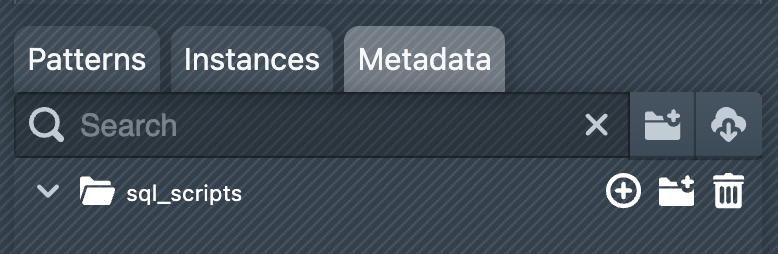
To access a project's meta database, switch to the Metadata tab in the sidebar. The sidebar is initially empty for a new project. You must first create a folder in order to create objects such as tables, views and scripts in it. To do this, click on the New Folder icon ( ), enter a name for the new folder and confirm with + Create new Folder. The new folder will now appear in the sidebar.
Creating an initial SQL script
To execute SQL and obtain information from the Meta database, you must first create a script. You can use both SQL and the MetaKraftwerk scripting extension in a script.
Click on the  icon on the folder and select
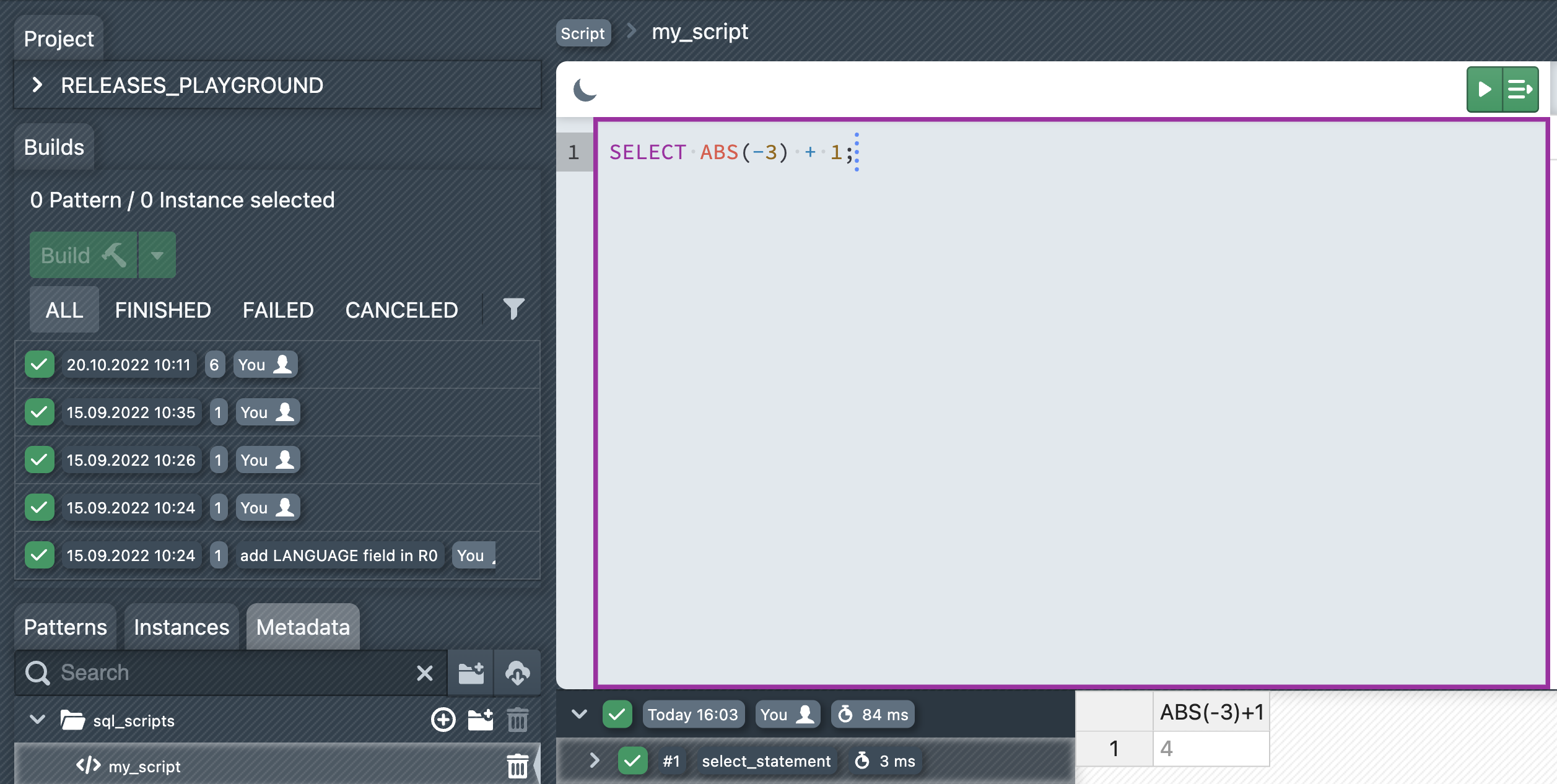
 Add new Script. Enter the name of the new script and confirm with + Create new Script. The new script will now appear in the sidebar below the folder. You can open it by clicking on the script. An editor will then open in the main window, where you can enter your SQL statements.
We will now enter the following SELECT statement in the script:
SELECT ABS(-3) + 1;You can now execute statements using the Execute SQL Statement button ( ) or by moving the cursor to the end of the statement and then pressing Ctrl+↵. The result of the execution is displayed in the table below. All previous executions are listed to the left of the table. You can view previous execution results by clicking on the corresponding execution.
DDL and DML
Like any other SQL-based database, the Meta Database allows tables, views and other objects to be created using a Data Definition Language (DDL). Once tables have been created, data can be modified using the Data Manipulation Language (DML).
In the following example, a table is created in the mkw_doku folder and then filled with a data record:
CREATE TABLE mkw_doku.my_table (
  ord string,
  col1 integer
);

INSERT INTO mkw_doku.my_table (ord, col1)
VALUES ('b', 20);Functions and Operators
MetaKraftwerk offers most of the well-known SQL functions and operators.
ABS(-3) + 14Tip
For a comprehensive list of all available functions and operators, see the Functions and Operators references.
Scripting
The meta database offers a powerful scripting language that enables the development of scripts and stored procedures.
LET vari STRING := 'one';
CASE (vari)
  WHEN 'one' THEN
    vari := '1';
  WHEN 'two' THEN
    vari := '2';
  ELSE
    vari := '3';
END;Tip
Further details on the scripting language can be found in the Scripting reference.
SQL on Instance Metadata
Instance metadata can also be queried and manipulated using SQL. A view is created for each pattern, which can be used to query all instance metadata using SELECT and to insert new instance metadata using INSERT.
The following example queries the instance metadata of the pattern LDG_PATTERN:
SELECT * FROM @INSTANCES.LDG_PATTERN
  WHERE "@INSTANCE" = 'ACCOUNT'
ORDER BY "@POS_NO";+-------------+---------+-----------+----------+---------+----------+-----------------+--------------+-----------+-------------------+
| @PATTERN | @FOLDER | @INSTANCE | @RELEASE | @POS_NO | @DELETED | FUNCTIONAL_ROLE | NAME | DATA_TYPE | EXPRESSION |
+-------------+---------+-----------+----------+---------+----------+-----------------+--------------+-----------+-------------------+
| LDG_PATTERN | /SRC | ACCOUNT | | 1 | 0 | SRC_TABLE | other_file | | |
| LDG_PATTERN | /SRC | ACCOUNT | | 2 | 0 | RELATED_TICKET | 9000 | | |
| LDG_PATTERN | /SRC | ACCOUNT | | 3 | 0 | SRC_FIELD | ACC_PART | string | |
| LDG_PATTERN | /SRC | ACCOUNT | | 4 | 0 | DRV_TGT_FIELD | LOWER_NAME | string | LOWER(ACCOUNT_ID) |
+-------------+---------+-----------+----------+---------+----------+-----------------+--------------+-----------+-------------------+Tip
For further information, see the Instance Metadata reference.
Information Schema
The Meta Database provides an information schema that offers several views which make information about objects in MetaKraftwerk queryable.
SELECT * FROM @INFORMATION_SCHEMA.TABLES;+-----+--------------+-----------------+------------+---------------------+-------------+
| ID | TABLE_FOLDER | TABLE_NAME | TABLE_TYPE | CREATED | DESCRIPTION |
+-----+--------------+-----------------+------------+---------------------+-------------+
| 311 | /my_scope | MKW_VAULT_SCOPE | TABLE | 2023-08-25 17:11:46 | |
| 401 | /md_prep | MKW_KEYS | VIEW | 2023-08-26 13:31:37 | |
+-----+--------------+-----------------+------------+---------------------+-------------+Tip
All information schema views can be found in the Information Schema reference.