 MetaKraftwerk

Delivery Report
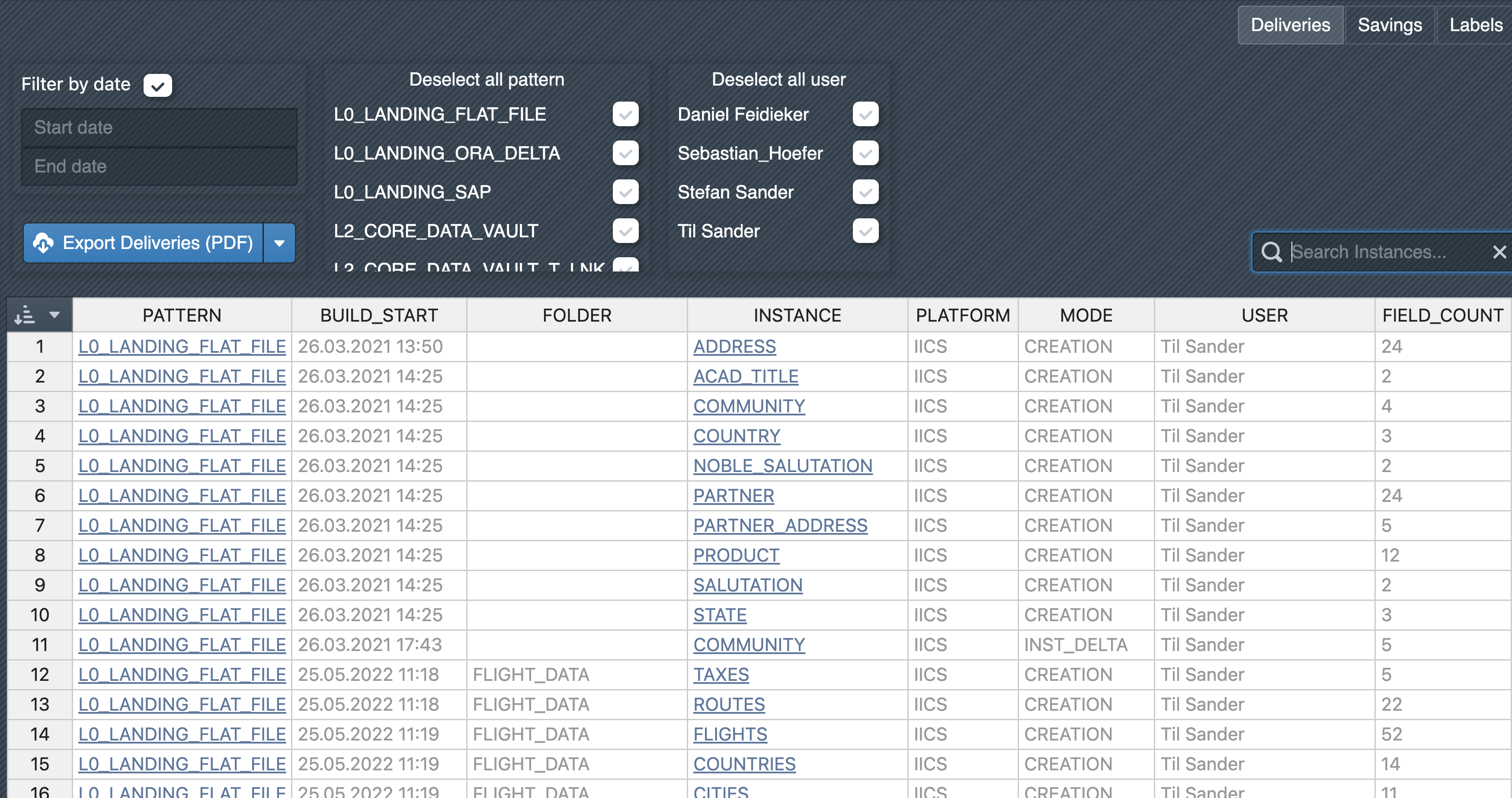
To make the previously provided process instances and changes transparent, the 'Deliveries' section contains a summary of the instances created. In the upper area, there are several filters that can be used to filter by time, pattern and user. Individual instances can also be searched for using the search field. All filtered entries are then displayed in the table below. The list only contains entries for the builds of instances if changes to the instance have occurred in the given build compared to the previous build, i.e. metadata rows have been added, changed or deleted.
The delivery report contains the following details:
| Detail | Description |
|---|---|
| Pattern | Which pattern does the instance belong to? |
| Build | Start: When was the build of the instance started? |
| Folder | In which folder is the instance located? |
| Instance | The name of the instance |
| Platform | For which target platform is the pattern developed (e.g. Fabric, IDMC, etc.)? |
| Mode | In which mode was the instance built:
|
| User | Which user created the instance |
| Field | Count: How many fields did the instance have at the time of the build |
| Changes | How many changes were there in total compared to the last build |
| Change | Details: Detailed information about the changes (number of added, changed, deleted fields) |
| Release | In which release was the instance created |
| Build | Comment: Comment on the build |
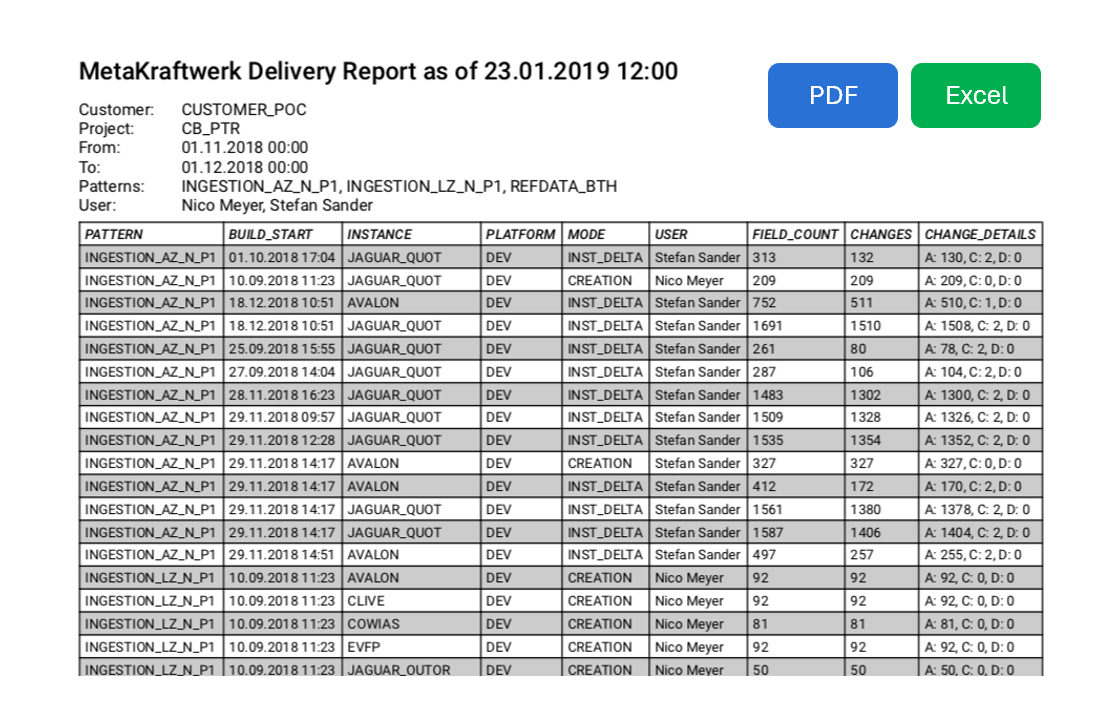
The deliveries can also be downloaded as a PDF or Excel report. To do this, click on Export Deliveries (PDF) or on the arrow next to it to download an Excel export.