 MetaKraftwerk

Pattern Upload
When you develop a pattern, you must first create a prototype in the data integration tool of your choice (see integrations). You then export this as an export package. You then import the export file into MetaKraftwerk. To do this, select the pattern and click on "Upload Pattern" at the top right. After you have selected the export file, MetaKraftwerk parses the export package and displays the contents in the upload dialog. You have to confirm this dialog to complete the upload. With each upload, a commit for the pattern is created, i.e. a saved state to which you can return later.
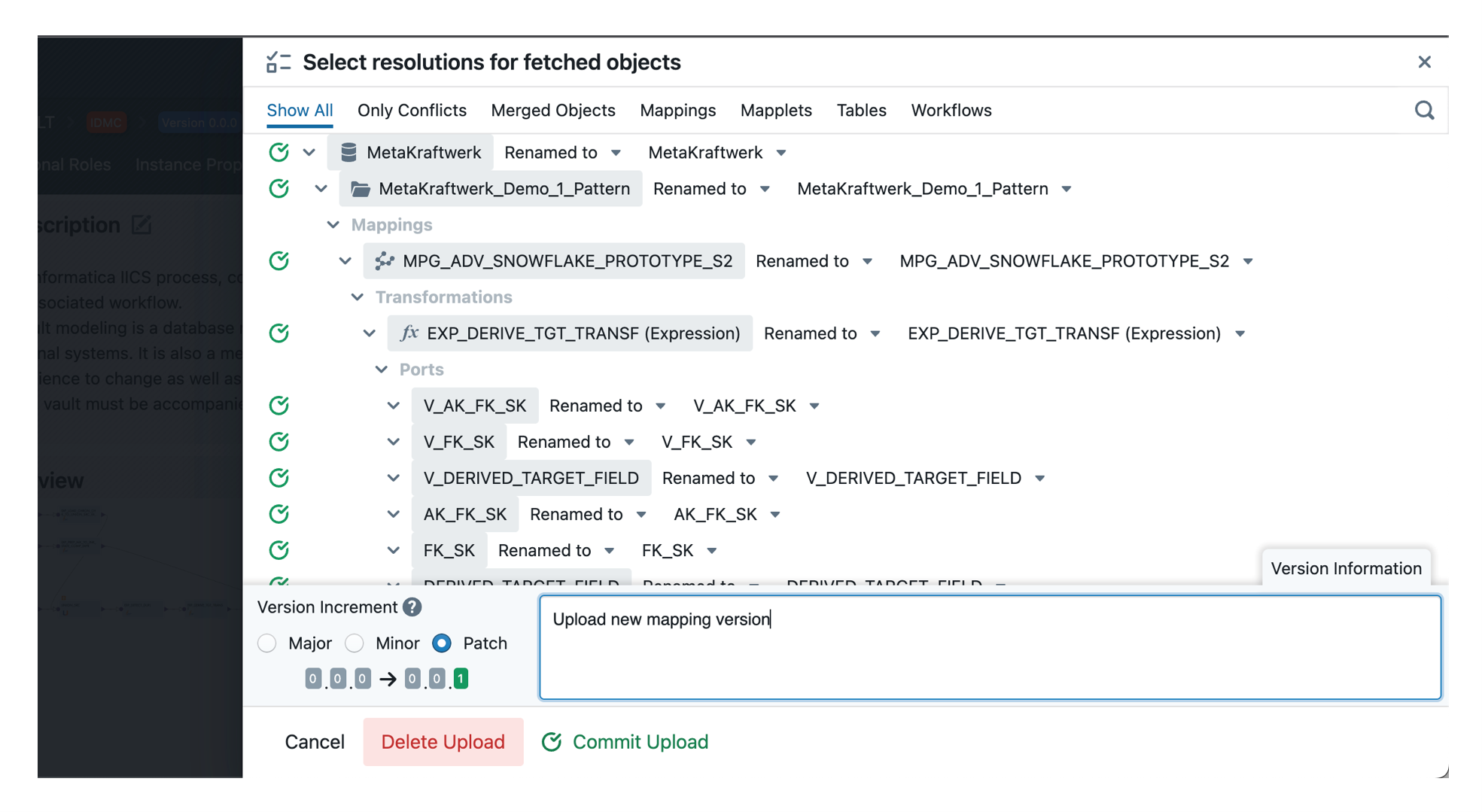
In the upload dialogue, you can select the version number of the new commit. MetaKraftwerk uses SemVer for commit versioning. Select either Major, Minor or Patch. The new version number is then determined based on the last version number.
It is also necessary to provide a description for the upload commit. The description should contain a summary of the changes that are being uploaded with the new export file.