 MetaKraftwerk

Release Selection inside a Project
If you are within a project (by selecting a project in the top-right menu bar), you will see a pink-colored selection next to the project selection, which is initially set to "Default Release" (Attention: The selection is only visible if a pattern exists in a project for which the release management has been configured).
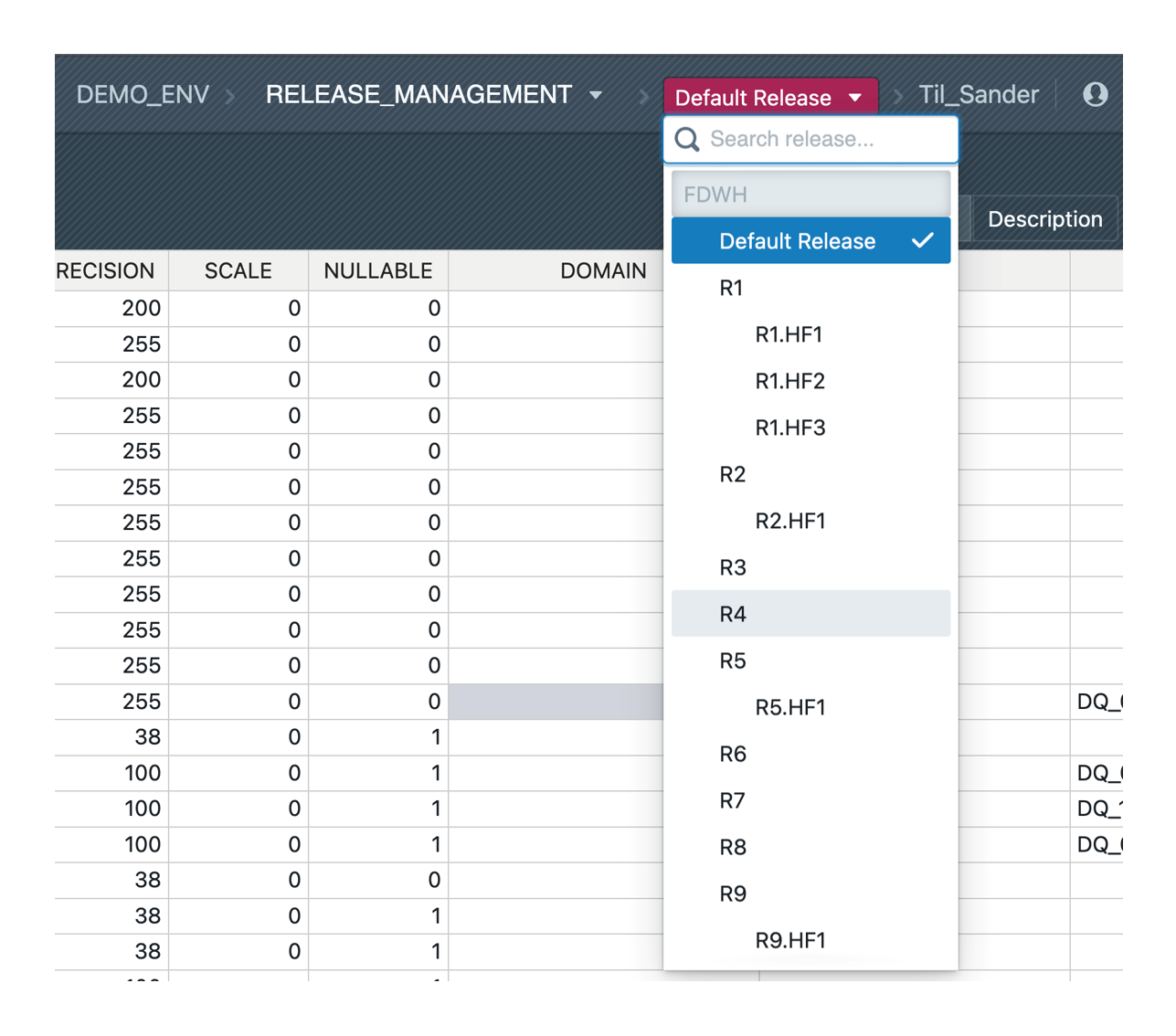
By clicking on the selection it is possible to switch to another release. All releases of the release group are listed, with a flag if the release is closed. Selecting a release has the effect that the user sees all instances in their state as they were last within the release. When used initially, this can lead to misunderstandings if a previous change to an instance is not seen after switching to another release. Here it is important to develop an awareness of concurrent development in different releases and to choose the right release for the desired instance change. A restrictive organization of releases, so that only the really necessary releases are ever open and all others are closed, counteracts unwanted changes in the wrong release. However, it is always possible to restore an older version for an instance.