 MetaKraftwerk

Filtering of Instances
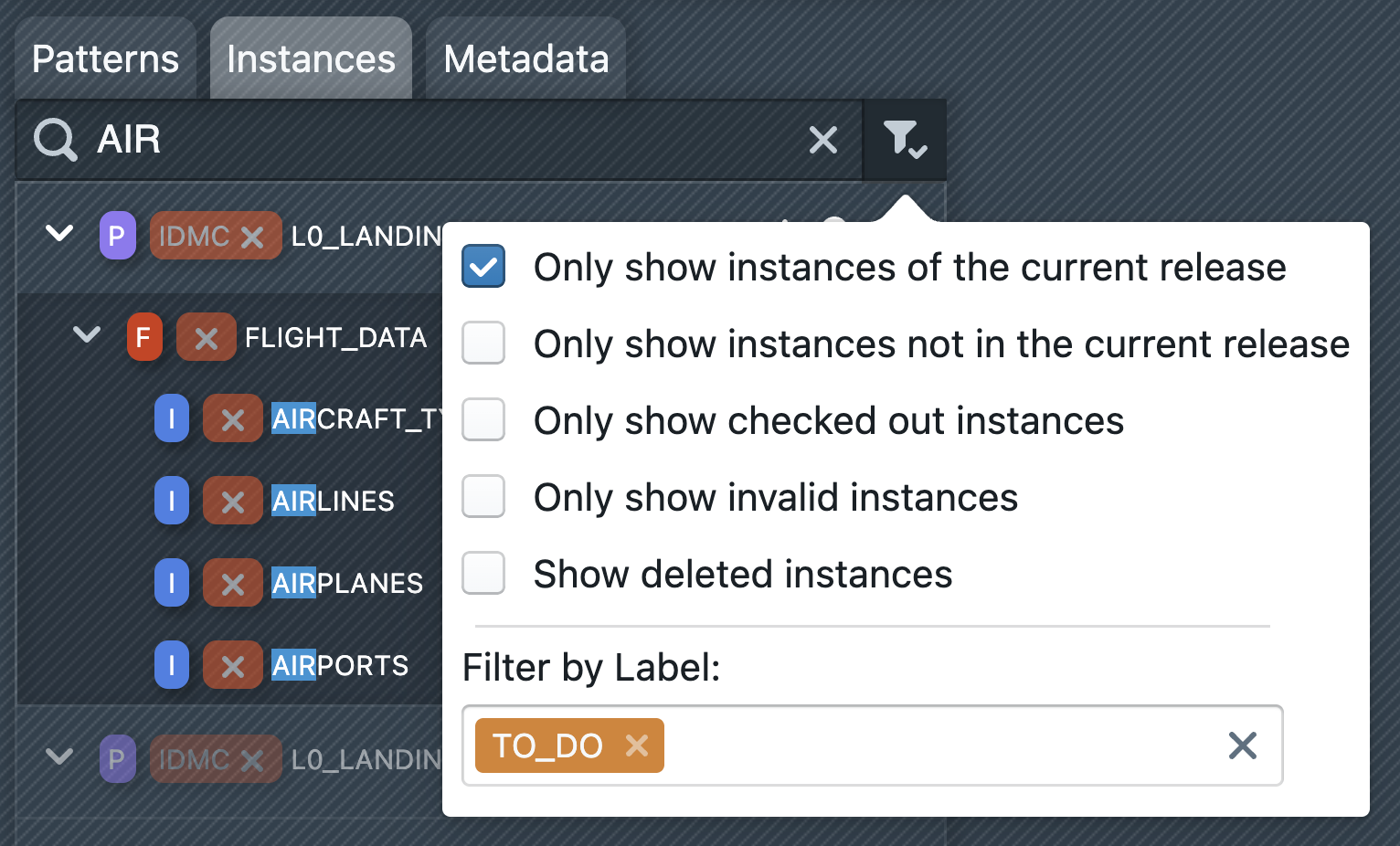
There are two ways to filter instances. First, it is possible to search for instances using the search field. You have to type at least three characters before the search is activated. All instances which will contain the search phrase will be listed in the sidebar. The search phrase will be highlighted in the instance names.
It is also possible to use regular expressions in the search input, e.g. SAT$ if you want to find instances which end with the suffix SAT.
Furthermore, next to the search field there is a filter icon, which opens a dialog that allows you to filter instances according to the following criteria:
Show only instances of the current release
Show only instances not in the current release
Show only checked out instances
Show only invalid instances
Show deleted instances
In addition to this you could select labels in the selection under "Filter by Label". Only instances where the selected label is attached will be shown in the sidebar.